Posted on

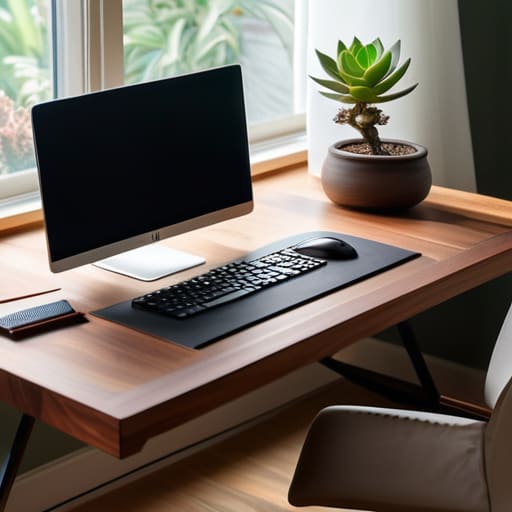
Designing a Workspace That Promotes Deep Focus

How to build a productive workspace.

I spent most of my early twenties thinking that if I just bought the $800 ergonomic chair or the most expensive mechanical keyboard on the market, my focus would suddenly become unbreakable. I fell for the trap of thinking that a “professional setup” was something you purchased rather than something you engineered. The truth is, most of the advice you see online about how to build a productive workspace is just expensive noise designed to sell you more gear you don’t actually need. You don’t need a minimalist studio apartment to get things done; you just need to stop fighting your environment and start making it work for you.

I’m not here to sell you a lifestyle or a dream aesthetic. My goal is to give you the actual, unvarnished mechanics of a functional setup—the kind of small, systematic adjustments that actually reduce friction during a long workday. We’re going to look at lighting, cable management, and digital clutter through a pragmatic lens. I want to help you strip away the distractions so you can finally get into flow and stay there.

Table of Contents

Smart Ergonomic Office Setup Tips for Daily Ease

Smart Ergonomic Office Setup Tips for Daily Ease

Most people treat their desk like a landing pad for whatever happens to be in their hands, but if you want to actually sustain focus, you have to treat it like a cockpit. I spent years dealing with nagging lower back pain and tension headaches before I realized my setup was working against me. When I talk about ergonomic office setup tips, I’m not just talking about buying a fancy chair; I’m talking about the geometry of your body. Your monitor should be at eye level so you aren’t perpetually hunching like a question mark, and your elbows should rest at a 90-degree angle. It sounds basic, but fixing your posture is the single most effective way to stop the mid-afternoon physical fatigue that kills my momentum.

Beyond the physical alignment, you need to manage your sensory environment. I’ve found that optimal lighting for focus is a game changer—aim for soft, indirect natural light rather than a harsh overhead bulb that turns your screen into a mirror. If you can, position your desk perpendicular to a window to reduce glare. Once the lighting is dialed in, look at your peripherals. Small additions, like a dedicated wrist rest or a monitor arm, can make the difference between a workspace that feels cramped and one that feels effortless to navigate.

Essential Desk Accessories for Focus and Flow

Essential Desk Accessories for Focus and Flow

If you’re looking to upgrade your setup, don’t go overboard buying every gadget on a “must-have” list. I’ve learned the hard way that more gear often just means more clutter. Instead, focus on a few essential desk accessories for focus that actually serve a purpose. For me, a high-quality mechanical keyboard and a precision mouse are non-negotiable; they turn the tactile experience of working into something satisfying rather than a chore. I also swear by a large, felt desk mat. It does more than just look clean—it anchors your peripherals and provides a subtle dampening effect that makes the whole station feel more intentional.

Beyond the hardware, you need to address the sensory environment. One of my favorite workspace organization hacks is using a dedicated tray or a small riser for your phone. By physically moving your phone away from your immediate reach, you’re much more effective at minimizing desk distractions without needing massive willpower. Finally, don’t overlook your lighting. A well-placed task lamp can transform your ability to stay in the zone, providing the right kind of illumination to prevent eye strain during those long afternoon stretches. Keep it simple, keep it functional, and let the tools do the heavy lifting.

Systems, Not Just Stuff: 5 Ways to Minimize Friction

Systems, Not Just Stuff: 5 Ways to Minimize Friction
  • Implement a “Shutdown Ritual” to clear your physical and digital desktop at the end of every day. I’ve found that walking into a workspace that’s already reset—no stray coffee mugs, no random sticky notes—makes starting the next morning significantly less daunting.
  • Use the “Zone Method” to separate your tasks. Keep your immediate reach within the “Active Zone” (keyboard, mouse, notebook) and move everything else to a “Reference Zone” (books, files, printers). If you have to stand up or lean to grab it, it shouldn’t be cluttering your primary workspace.
  • Audit your cable management once a month. It sounds tedious, but a “rat’s nest” of wires under your desk is more than just an eyesore; it’s a psychological distraction. Use Velcro ties or cable trays to keep the visual noise to an absolute minimum.
  • Optimize your lighting for the time of day. Relying solely on harsh overhead lights is a recipe for a headache by 3:00 PM. I prefer a mix of natural light and a warm, adjustable desk lamp to help signal to my brain when it’s time to focus and when it’s time to wind down.
  • Create a “Single-Tasking Station.” If your desk is where you also eat, pay bills, or scroll through your phone, your brain will struggle to enter deep work. Designate a specific spot—even if it’s just a specific coaster or a small desk mat—that signals: “When this is in front of me, we are working.”

The Philosophy of Flow

A workspace shouldn’t be a collection of expensive gadgets; it should be a frictionless environment where the tools disappear so the work can actually happen.

Nathaniel 'Nate' Brooks

The Bottom Line

The Bottom Line: intentional workspace ergonomics.

At the end of the day, building a productive workspace isn’t about buying every gadget on a “must-have” list or creating a sterile, museum-quality desk setup. It’s about the intersection of ergonomics and intentionality. We’ve looked at how the right physical support prevents that mid-afternoon back ache, and how choosing the right accessories can eliminate the small, nagging frictions that break your concentration. Whether it’s optimizing your monitor height or curating a selection of tools that actually serve your workflow, the goal is to minimize the cognitive load required just to sit down and start working. When your environment is dialed in, you stop fighting your surroundings and start focusing on the task at hand.

I want to leave you with one thought: your workspace is a living system, not a finished project. It will change as your roles evolve, your tech upgrades, or your energy levels shift. Don’t feel like you have to get everything perfect by Monday morning. Instead, aim for incremental improvements—one small tweak to your lighting or one less piece of clutter on your desk. If you can shave off just a few seconds of frustration here and a few minutes of distraction there, you’ve already won. Stop chasing perfection and just start building a space that actually works for you.

Frequently Asked Questions

How much space do I actually need to stay productive without feeling cramped?

Look, you don’t need a dedicated home office suite to get things done, but you do need breathing room. I’ve learned the hard way that if your elbows are constantly hitting a wall or your coffee mug is fighting for territory with your mouse, your brain stays in “clutter mode.” Aim for a zone where you can move your arms freely without hitting anything. If you can’t clear your immediate surface at the end of the day, you’ve got too much gear and not enough space.

Is a standing desk worth the investment, or am I better off sticking to a high-quality ergonomic chair?

Look, if you’re choosing between one or the other, buy the chair. A top-tier ergonomic chair is a non-negotiable for your spine; it’s the foundation of your setup. A standing desk is a great tool for movement, but standing still for eight hours is just as bad as sitting still. My advice? Get the best chair you can afford first, then add a standing desk later once your budget allows for that extra layer of optimization.

How do I manage cable clutter so my desk doesn't look like a disaster zone?

Look, I’ve spent way too many hours untangling a “nest” of wires under my desk. It’s a mental drain you don’t need. Start with a cable management tray mounted under your desk—it’s a game changer for hiding power strips. Use Velcro ties (never plastic zip ties, they’re a nightmare to change) to bundle cords together. Finally, label both ends of every cable. It feels overkill until the day you actually need to swap a monitor.

What are some low-cost ways to improve my lighting if I'm working in a dark corner?

If you’re stuck in a dim corner, don’t go out and buy an expensive designer lamp. Start with a simple warm-white LED desk lamp—aim for something with adjustable brightness so you can dial it back when your eyes feel strained. I also swear by a cheap clip-on light for your monitor; it cuts down on that harsh screen glare. Lastly, if you can, reposition a small mirror to bounce whatever natural light exists toward your desk. It’s a tiny tweak, but it makes a massive difference in eye fatigue.

Posted on

Effortless Sheet-pan Dinners With Minimal Cleanup

Easy simple sheet pan dinners recipe.

I spent most of my twenties treating my kitchen like a high-stakes debugging session, usually ending in a pile of greasy dishes and a takeout bag that cost me way too much. We’ve all been there—staring into a fridge full of ingredients but feeling too drained to actually build a meal. The friction of prepping multiple pots and pans is often the reason we default to expensive, unhealthy habits. That’s why I’ve become obsessed with perfecting simple sheet pan dinners; they are the ultimate hack for reclaiming your evening without sacrificing actual flavor.

In this guide, I’m breaking down eight of my go-to configurations that I’ve tested, tweaked, and optimized for maximum efficiency. You aren’t just getting a list of recipes; you’re getting a system for eating well even when your brain is fried from a long day of troubleshooting. I’ll show you exactly how to balance proteins, fats, and veggies so you can stop wrestling with the kitchen and start enjoying your downtime. Let’s get your weeknight routine streamlined and stress-free.

Table of Contents

Lemon Herb Chicken and Root Veggies

Roasted Lemon Herb Chicken and Root Veggies.

This is my go-to when I realize I haven’t been to the grocery store in four days and my energy levels are hitting a wall. You just chop up some chicken thighs, carrots, and baby potatoes, toss them in olive oil, dried oregano, and plenty of lemon zest, and let the oven do the heavy lifting. It’s a low-friction meal that actually tastes like you put in effort, even if you were actually just scrolling through tech forums.

Sausage and Bell Pepper Medley

Roasted Sausage and Bell Pepper Medley.

If you want to minimize prep time even further, buy a pack of high-quality pre-cooked sausages—I usually go for spicy Italian or smoked kielbasa. Slice them into rounds along with some colorful bell peppers and red onions. It’s a minimalist approach to flavor; the fat from the sausage renders out during the roast, essentially seasoning the vegetables for you without any extra work.

Pesto Salmon and Asparagus

Baked Pesto Salmon and Asparagus on tray.

When I’m feeling a bit more “wellness-focused” but still don’t want to deal with a sink full of dishes, I go for salmon. Slather a few fillets in store-bought pesto—get the good stuff, not the cheap watery kind—and surround them with a bunch of trimmed asparagus. It’s a high-reward system because the cooking time is incredibly short, usually under fifteen minutes if your oven is already up to temp.

Beef and Broccoli Stir-Fry Style

Sheet pan Beef and Broccoli Stir-Fry Style.

Most people think stir-fry requires a wok and constant standing over a hot stove, but you can cheat the system using a sheet pan. Thinly slice some flank steak and toss it with broccoli florets, soy sauce, ginger, and garlic. By roasting them at a high temperature, you get a charred, savory finish that mimics a restaurant meal but with significantly less cleanup.

Mediterranean Halloumi and Chickpea Bake

For the nights when I’m not in the mood for heavy meat, this vegetarian option is a total lifesaver. You take a can of drained chickpeas, some halved cherry tomatoes, cucumber slices (add these fresh after), and thick slabs of halloumi cheese. The cheese gets this amazing, salty crust in the oven that makes the whole dish feel unexpectedly gourmet.

Shrimp Scampi Sheet Pan

Shrimp is the ultimate “fast food” for anyone who values their time. Because they cook so incredibly quickly, this is my favorite meal for those nights when I’m working late and need to eat immediately. Toss jumbo shrimp with melted butter, garlic, lemon juice, and a pinch of red pepper flakes on a pan with some thin zucchini ribbons.

Honey Mustard Pork Chops and Apples

This one is a bit of a nostalgic comfort meal for me. You take bone-in pork chops, slice up some tart apples (like Granny Smith), and toss them with sliced red onions in a simple honey mustard glaze. The sweetness of the apple and the tang of the mustard create a flavor profile that works every single time without needing complex techniques.

Crispy Tofu and Sweet Potato Cubes

I know, I know—tofu can be a nightmare if you don’t know what you’re doing. But if you press the moisture out of it first and toss it with cornstarch and your favorite seasoning, it becomes incredibly crispy in the oven. Pair it with small cubes of sweet potato, and you have a nutritious, filling meal that keeps you full for hours.

The Philosophy of the Pan

“I don’t care about gourmet plating or complex culinary techniques; I care about the thirty minutes of peace I get back when I’m not scrubbing three different pots and a cutting board after a long day of troubleshooting systems.”

Nathaniel 'Nate' Brooks

Reclaim Your Evenings

At the end of the day, these sheet pan dinners aren’t just about the food; they are about optimizing your limited bandwidth. We’ve looked at how a single tray can handle everything from protein-heavy salmon to hearty roasted vegetables, proving that you don’t need a sink full of dishes to eat well. By leaning into these streamlined methods, you’re essentially removing the friction between “being hungry” and “being fed.” Whether you’re choosing a quick Mediterranean mix or a heavy-duty steak and potato combo, the goal remains the same: minimizing the mess while maximizing the nutritional payoff.

I know how it feels when the workday runs long and the last thing you want to do is navigate a complex recipe. But you don’t need to be a gourmet chef to have a successful evening; you just need a better system. Stop treating dinner like a high-stakes project and start seeing it as a simple, repeatable process that works for you, not against you. Life is messy enough as it is, so let’s stop making the kitchen part of the chaos. Pick one of these recipes tonight, throw it in the oven, and just breathe while you wait.

Frequently Asked Questions

How do I make sure the vegetables don't turn into mush while the meat is still cooking?

This is the classic sheet pan dilemma. If you throw broccoli in with a thick chicken breast from minute one, you’re eating sludge. To fix this, I use “staggered timing.” I check my internal timer; if the meat needs 25 minutes but the veggies only need 15, I wait. Toss the vegetables onto the pan halfway through. It keeps the textures distinct and ensures nothing gets lost in the mush.

Are there specific types of pans I should avoid to prevent everything from sticking?

Honestly, stay away from cheap, thin aluminum pans. They develop hot spots that scorch your food in one corner while the rest stays raw, and they’re a nightmare to clean. If you’re using old, scratched-up non-stick pans, toss them; those coatings are just going to flake into your dinner. I swear by heavy-duty rimmed baking sheets. They hold heat evenly and can actually handle the high temps you need for a good sear.

Can I prep these ingredients ahead of time in the fridge, or will they get soggy?

You can definitely prep ahead, but there’s a strategy to it. I usually chop my veggies and proteins a day or two early, but I keep them in separate containers. If you toss everything in the marinade too soon, the salt can draw out moisture and turn your veggies into mush. My rule of thumb: prep the components, but wait until you’re actually ready to roast to combine them and hit the oven.

What’s the best way to scale these recipes up if I’m suddenly cooking for more people?

Scaling up isn’t as simple as just doubling the ingredients—if you crowd the pan, you’ll end up steaming your food instead of roasting it. To keep that texture, use multiple sheet pans and leave space between the items. I usually check my oven’s airflow, too; if I’m running two racks, I rotate them halfway through. It’s a minor tweak, but it ensures the last person in line gets a meal as good as the first.

Posted on

15-minute Dinner Ideas for When You’re Exhausted

Quick 15 minute meals for exhausted dinners.

We’ve all been there: it’s 6:30 PM, your brain is fried from a day of troubleshooting systems, and the last thing you want to do is stare at a pile of groceries wondering how to turn them into something edible. Usually, this is the exact moment when the “decision fatigue” hits, and you end up settling for expensive, overpriced takeout that leaves you feeling sluggish. I used to let these chaotic evenings dictate my entire routine, but I’ve learned that the secret to a sustainable lifestyle isn’t gourmet cooking—it’s about implementing quick 15 minute meals that actually work. You don’t need a culinary degree to eat well; you just need a better operating system for your kitchen.
In this guide, I’ve stripped away the fluff to bring you 15 high-efficiency meal ideas that prioritize both flavor and speed. I’m talking about real, actionable options that minimize cleanup and maximize your downtime. By the end of this list, you’ll have a curated toolkit of recipes designed to help you reclaim your evening without the stress of a long prep time. Let’s stop wrestling with the kitchen and start streamlining your dinner routine.

Table of Contents

The Pantry Pasta Pivot

The Pantry Pasta Pivot aglio e olio.

When I’m staring at a mountain of unread emails, the last thing I want to do is chop vegetables for forty minutes. This is where the classic aglio e olio style pasta saves my sanity. You just need spaghetti, garlic, olive oil, and some red pepper flakes. It’s a system that relies on high-quality staples rather than complex prep work.

Gourmet Quesadillas

Delicious Gourmet Quesadillas with black beans.

I used to think quesadillas were just for late-night snacks, but they are actually an incredible tool for efficient nutrition. If you have tortillas, cheese, and a can of black beans, you’re essentially halfway to a balanced dinner. I usually keep a bag of pre-shredded Mexican blend cheese in the freezer just for these moments.

The Mediterranean Power Bowl

The Mediterranean Power Bowl with chickpeas.

This is my go-to when I want to feel like I actually have my life together. You aren’t really “cooking” so much as you are assembling components. I keep a stash of canned chickpeas, cucumber, feta cheese, and olives in the fridge. It’s a modular system that works every single time.

Loaded Avocado Toast 2.0

Loaded Avocado Toast 2.0 with soft-boiled egg.

We’ve all seen the photos, but let’s be honest: avocado toast is a legitimate lifesaver when your brain is fried. To make it a proper dinner, you have to move beyond just smashed fruit on bread. I like to top mine with a jammy soft-boiled egg and a sprinkle of everything bagel seasoning.

Rapid Shrimp Scampi

Frozen shrimp is one of the best investments you can make for your kitchen’s efficiency. Because they thaw so incredibly fast in a bowl of cool water, they are the perfect protein for a 15-minute window. I just sauté them with plenty of garlic, lemon juice, and a knob of butter.

The Rotisserie Chicken Hack

If you aren’t buying a rotisserie chicken from the grocery store once a week, you are leaving time on the table. I treat that bird like a modular component for my entire week. On night one, it’s the star of the show; on night two, it’s shredded into a quick taco or a salad.

Black Bean Street Tacos

Tacos are the ultimate expression of “assembly required” cooking. You don’t need to sear meat for twenty minutes when a can of seasoned black beans can do the heavy lifting. I keep corn tortillas in the pantry because they are cheap, shelf-stable, and incredibly fast to warm up.

One-Pan Sausage and Veggies

I know, I know—usually “one pan” implies a long time in the oven. But if you use pre-cooked smoked sausages and a bag of frozen stir-fry vegetables, you can do this in a skillet in record time. The sausage provides the fat and seasoning, so you don’t have to overcomplicate the pantry.

Caprese Naan Pizzas

Forget the delivery driver; you can have a much better pizza in a fraction of the time using naan bread as your base. It’s the perfect structural foundation because it’s already cooked and holds up well under heat. I just spread some pesto or marinara on top and add fresh mozzarella.

The Egg Scramble Upgrade

Sometimes, the most efficient way to end a day is to lean into the simplicity of eggs. A scramble isn’t just for breakfast; it’s a blank canvas for whatever is left in your crisper drawer. I usually throw in some spinach and a bit of goat cheese to give it some textural interest.

Smoked Salmon Bagels

This might sound like brunch, but when you’re deep in a project and need brain food, it’s perfect. Smoked salmon is a high-density nutrient source that requires absolutely no cooking. I just toast a bagel, spread some cream cheese, and layer on the salmon and capers.

Pesto Tortellini Toss

Refrigerated tortellini is my secret weapon for rapid dining. Unlike dried pasta, these little pockets of cheese cook in about four to five minutes. When you combine that with a high-quality jarred pesto, you’ve essentially automated your dinner.

Tuna Melt Meltdown

We need to talk about the humble canned tuna. If you mix it with a little mayo, Dijon mustard, and some diced celery, you have a base that is ready for anything. I put the mixture on thick slices of bread, top it with sharp cheddar, and toast it in a pan.

Mediterranean Couscous Salad

Couscous is the unsung hero of the “fast food” world because it doesn’t actually require boiling; you just pour hot water over it and let it sit. It’s the ultimate time-optimization tool for a grain-based meal. I mix mine with chopped cucumbers, tomatoes, and a squeeze of lemon.

Beef and Broccoli Stir-Fry Lite

You don’t need to spend an hour prepping a traditional stir-fry. If you buy pre-sliced beef strips and a bag of frozen broccoli florets, you can cut the process down significantly. The secret is a high-heat sear and a simple sauce of soy sauce, ginger, and a dash of honey.

The Philosophy of the 15-Minute Meal

A quick meal isn’t about cutting corners or settling for junk; it’s about building a better system so you can stop spending your limited evening energy on the stove and start spending it on yourself.

Nathaniel 'Nate' Brooks

Reclaiming Your Evenings

At the end of the day, these fifteen recipes aren’t about becoming a gourmet chef or mastering complex culinary techniques. They are about eliminating the decision fatigue that usually hits right around 6:00 PM when your brain is fried. Whether you’re leaning on a high-quality jarred pesto, utilizing the speed of a shrimp sauté, or just keeping a stash of seasoned rotisserie chicken in the fridge, the goal is the same: getting food on the table without the mental overhead. By keeping these few staples in your pantry and a handful of versatile proteins on hand, you turn dinner from a chaotic chore into a predictable, manageable system that works for you, not against you.

I know how it feels to stare at a cluttered fridge and feel that rising sense of dread because you just don’t have the bandwidth for a “real” meal. But remember, we aren’t aiming for a Michelin star here; we are just aiming to stop the bleed of wasted time and expensive, last-minute takeout orders. Small, intentional shifts in how you approach your kitchen can create a massive ripple effect in your overall well-being. Take the win where you can find it. Feed yourself, clear the mental clutter, and get back to the things that actually matter—whether that’s finally relaxing on the couch or catching up on a project you actually enjoy.

Frequently Asked Questions

How can I make sure these 15-minute meals are actually healthy and not just quick junk food?

Look, speed shouldn’t be an excuse for junk. My rule of thumb is the “protein and green” framework. If your 15-minute meal is just carbs, you’re going to crash by 3 PM. Always aim to pair a quick protein—like canned chickpeas, rotisserie chicken, or eggs—with something high-fiber, even if it’s just a handful of pre-washed spinach or frozen peas. It’s about adding nutritional density without adding complexity to the system.

Is it worth investing in specific kitchen tools to hit these time targets, or can I do this with what I already have?

Look, I’m a big believer in optimizing systems, but don’t go out and buy a specialized gadget just because an ad tells you to. Most of these 15-minute wins are about technique, not gear. If you have a decent chef’s knife and a heavy skillet, you’re already 90% there. Save your money for high-quality ingredients; a sharp knife is the only “investment” that actually pays dividends in speed and safety.

What’s the best way to prep ahead of time so I'm not starting from zero every single night?

Don’t fall into the trap of “meal prepping” entire massive containers of food on Sunday; that’s how you end up eating the same lukewarm chicken for five days straight. Instead, focus on component prepping. Chop your onions, mince your garlic, and roast a big batch of versatile veggies while you’re already in the kitchen. If you have the building blocks ready in the fridge, you’re never actually starting from zero—you’re just assembling.

How do I keep my grocery bill from skyrocketing if I'm constantly buying specialized ingredients for these quick recipes?

That’s the classic “efficiency tax”—you save time on cooking but pay for it at the register. To fix this, I treat my pantry like a modular system. Instead of buying a niche spice or sauce for one meal, I pick a “flavor profile” for the week. If I buy miso, I’m committing to three recipes that use it. Buy versatile staples that bridge multiple dishes, and never let a single-use ingredient sit in your cupboard gathering dust.

Posted on

Simple Ways to Make Your Laptop Battery Last Longer

Tips on how to extend laptop battery life.

I remember sitting in a crowded coffee shop three years ago, mid-way through a crucial systems audit, watching my battery percentage plummet from 40% to a dead screen in what felt like seconds. I wasn’t looking for a lecture on the chemistry of lithium-ion cells; I just needed to know how to extend laptop battery life so I could actually finish my work without hunting for a wall outlet like a nomad. Most “experts” will tell you to buy a specialized power bank or overhaul your entire OS, but that’s just more friction we don’t need.

I’m not here to sell you on expensive hardware or complicated software suites that take more energy to run than they actually save. Instead, I’ve spent years testing the small, systematic adjustments that actually move the needle. I’m going to show you the practical, low-effort tweaks—from managing background processes to optimizing your display settings—that will help you reclaim your mobility. We aren’t chasing some theoretical maximum; we’re just aiming for a reliable routine that keeps your tech working for you, not against you.

Table of Contents

Reduce Screen Brightness Settings for Instant Relief

Reduce Screen Brightness Settings for Instant Relief

If you’re looking for the absolute fastest way to see an immediate difference in your runtime, look no further than your brightness slider. It sounds like common sense, but most of us leave our screens at a level that’s unnecessarily high for the lighting in our room. I used to keep mine at 90% because I liked the “pop” of the colors, but I quickly realized I was essentially burning through my juice just for the sake of aesthetics. By learning to reduce screen brightness settings to the lowest comfortable level, you’re cutting down one of the biggest power draws on your hardware.

Think of your backlight as a constant drain on your resources. When you dim that display, you aren’t just saving a few minutes; you’re actively managing the heat and energy consumption of your device. If you’re working in a dim environment or a coffee shop, there is zero reason to have your screen blasting light. It’s one of those small, actionable adjustments that makes a massive dent in your daily usage. If you want to get serious about it, I’d recommend setting your display to auto-adjust based on ambient light, or just making it a habit to manually drop the level the second you’re away from a wall outlet.

Optimize Power Management Settings Without the Headache

Optimize Power Management Settings Without the Headache

Once you’ve handled the brightness, it’s time to look under the hood at what’s actually eating your juice. Most of us treat our laptops like they’re on a single-task mission, but in reality, a dozen different processes are fighting for attention in the background. I spent way too many years wondering why my machine was dying by noon, only to realize that background apps battery drain was the silent culprit. My rule of thumb is simple: if you aren’t actively using an application, it shouldn’t be running. Go into your system settings and audit your startup items; if a program doesn’t need to launch the second you log in, kill it.

Next, let’s talk about the built-in tools that most people ignore. You don’t need to be a sysadmin to optimize power management settings; you just need to stop fighting the OS. I always keep my device set to “Balanced” or “Power Saver” when I’m away from a desk. Utilizing the low power mode benefits—like throttling CPU performance slightly and limiting sync activity—can add a crucial extra hour to your workday. It’s a small trade-off in speed for a massive gain in mobility, and honestly, for most of my daily tasks, I don’t even notice the difference.

The Quick Wins: 5 Ways to Stop the Drain

The Quick Wins: 5 Ways to Stop the Drain
  • Close those rogue browser tabs. I know, I know—we all have thirty tabs open “just in case,” but every single one of them is a tiny energy leak. If you aren’t looking at it, kill the tab. Your battery (and your RAM) will thank you.
  • Audit your background apps. I used to wonder why my battery was tanking while I was just typing a doc, only to realize Spotify, Steam, and three different cloud sync tools were fighting for resources in the background. If you don’t need it running right now, shut it down.
  • Ditch the peripherals when you’re on the move. That external mouse, the heavy-duty cooling pad, or even a stray USB drive draws power directly from your laptop. If you’re working from a coffee shop, keep it minimal.
  • Check your wireless connections. Bluetooth is convenient, but if you aren’t using your wireless headphones or mouse, turn the Bluetooth off entirely. It’s one less signal your hardware has to constantly manage.
  • Watch your thermal management. If your laptop feels like it’s running a marathon, your fans are working overtime, which eats juice fast. Keep it on a flat, hard surface—not a blanket or a pillow—to ensure the vents can actually do their job.

## The Philosophy of Power

“We don’t need to live in fear of the low-battery warning; we just need to stop letting poorly configured settings bleed our energy dry before the workday is even half over.”

Nathaniel 'Nate' Brooks

Stop Chasing the Outlet

Stop Chasing the Outlet for battery life.

At the end of the day, extending your battery life isn’t about finding some magical, hidden setting; it’s about eliminating the small leaks that drain your power while you aren’t looking. We’ve covered the heavy hitters—dimming that screen, managing your background processes, and actually letting your OS do the heavy lifting with power-saving modes. When you combine these small adjustments, you stop fighting against your hardware and start working with it. It’s about moving away from that constant, low-level anxiety of seeing a red battery icon and toward a setup that actually supports your workflow instead of interrupting it.

Look, I know it feels like a losing battle sometimes. Technology is designed to be demanding, and batteries are, by their very nature, finite. But my philosophy has always been that we shouldn’t let our tools dictate our freedom. You don’t need a perfect, zero-drain system to have a productive afternoon; you just need a system that doesn’t fail you when you’re in the middle of something important. Stop letting your charger be your tether. Implement these tweaks, find your rhythm, and focus on what actually matters instead of hunting for the nearest wall socket.

Frequently Asked Questions

Is it actually bad for my laptop to leave it plugged in all the time?

Look, I get the anxiety. I used to hover over my charger like a hawk. The short answer? It’s not a death sentence, but it’s not ideal either. Modern batteries are smart, but keeping them at a constant 100% creates heat and chemical stress. If you’re desk-bound, use your manufacturer’s software to cap the charge at 80%. It’s a small system tweak that saves your battery from premature burnout.

Will turning off Bluetooth and Wi-Fi really make a noticeable difference?

Honestly? It depends on how much of a power user you are. If you’re sitting in a coffee shop with nothing to do, turning off Wi-Fi and Bluetooth can definitely shave some minutes off your runtime by stopping those constant background searches for signals. But if you’re actively working, the gain is marginal. Don’t obsess over it. If you’re truly desperate for every last percentage point, do it—but don’t let it become a chore.

Are there specific background apps that are secretly draining my battery?

Definitely. It’s usually the stuff running in the background that you’ve completely forgotten about. I’m talking about communication tools like Slack or Discord, heavy browser tabs, and those “helpful” cloud sync services that never seem to sleep. Even some poorly optimized peripheral drivers can be silent killers. Open your Activity Monitor or Task Manager; if you see something hogging CPU cycles while you aren’t even using it, kill it. Don’t let them steal your uptime.

Should I be worried about the age of my battery, or is it just my settings?

It’s a valid question. Honestly, it’s usually a mix of both. Think of your battery like a vintage synth—it’s a consumable part that naturally loses its capacity over time. If your laptop is three years old, you’re fighting physics. But if it’s relatively new and dying mid-task, it’s likely your settings or background processes. Run a quick battery report first; if your capacity is significantly lower than the design limit, it’s time for a replacement.

Posted on

How to Give Your Slow Computer a Speed Boost Fast

Tips on how to speed up your computer.

I remember sitting in my first cubicle as a junior analyst, staring at a spinning loading icon for what felt like an eternity while a deadline loomed. The sound of the cooling fan whirring like a jet engine was the only thing breaking the silence of the office, and honestly, it was infuriating. Most people think the answer to a sluggish machine is to drop a thousand dollars on a shiny new MacBook or download some shady “system optimizer” that’s basically just malware in a fancy wrapper. But let me tell you, most of that advice is just noise. If you’re actually looking for how to speed up your computer without draining your savings, you don’t need more hardware; you need better systems.

I’m not here to sell you on miracle software or complex coding hacks that will break your OS. My goal is to give you the exact, streamlined tweaks I use to keep my own workstation running like a well-oiled machine. We’re going to focus on cutting out the digital clutter and reclaiming your momentum through a few intentional adjustments. No fluff, no hype—just practical steps to get you back to work without the frustration.

Table of Contents

Optimize Windows Startup Programs to Reclaim Your Morning

Optimize Windows Startup Programs to Reclaim Your Morning

You know that feeling when you sit down at your desk, hit the power button, and then spend the next ten minutes staring at a spinning loading icon while your coffee goes cold? That’s usually because your PC is trying to juggle twenty different apps at once before you’ve even opened a browser. Most of the time, it’s just a bunch of “helper” apps—think Spotify, Steam, or random printer software—that decided they needed to launch the second you logged in.

To fix this, you need to optimize Windows startup programs and cut the dead weight. I personally hit `Ctrl + Shift + Esc` to pull up the Task Manager and head straight to the Startup tab. From there, I look for anything with a “High” startup impact that I don’t actually need immediately. If it isn’t essential for my workflow, I disable it. You aren’t deleting the app; you’re just telling it to wait until I actually ask for it. It’s a small change, but it goes a long way toward helping you reduce CPU usage right out of the gate, so your machine feels snappy from the moment you’re ready to work.

Reduce Cpu Usage Windows to End the Constant Chug

Reduce Cpu Usage Windows to End the Constant Chug

If your computer fan sounds like it’s trying to achieve liftoff every time you open a browser tab, you’re likely dealing with a CPU that’s working overtime for no reason. When your processor is constantly pegged at high percentages, it creates a bottleneck that makes even simple tasks feel like wading through molasses. The first thing I do is pull up the Task Manager to see which specific processes are hogging the resources. Often, it’s a rogue background update or a bloated utility program that’s gone rogue. To reduce CPU usage Windows users can often find relief by simply identifying these resource hogs and ending the tasks that shouldn’t be running in the first place.

Sometimes, the culprit isn’t a single program, but a deeper systemic issue. If you notice the lag persists even after closing heavy apps, it might be time to check for malware slowing computer performance. Malicious scripts love to hide in the background, quietly munching on your processing power. While you’re cleaning things up, I also recommend a quick sweep to clear temporary files PC users tend to accumulate over months of use. It’s a small bit of digital housekeeping, but clearing out that junk can actually lower the overhead your system has to manage, letting your processor breathe a little easier.

Five More Ways to Stop the Sluggishness

Five More Ways to Stop the Sluggishness
  • Clean out the digital junk drawer. We all have that one folder labeled “New Folder (3)” filled with installers and screenshots we don’t need. Run Disk Cleanup or just manually purge your Downloads folder; clearing out the cache and temporary files is like clearing the clutter off your desk—it gives the system room to breathe.
  • Audit your browser extensions. I used to have twenty different tabs and even more extensions running in the background of Chrome, and it was eating my RAM for breakfast. If you haven’t clicked that extension in a month, delete it. Every single one is a tiny tax on your computer’s processing power.
  • Check your drive’s health and space. If your SSD or hard drive is sitting at 95% capacity, you’re asking for trouble. Systems need “buffer room” to move files around while they work. Aim to keep at least 15-20% of your drive empty to prevent that dreaded slowdown when you’re trying to save a large project.
  • Update your drivers—but do it right. Don’t just blindly click “update all” on every pop-up you see. Focus on your GPU and chipset drivers. Keeping these current ensures your hardware and software are actually speaking the same language, which can resolve a lot of weird, micro-stuttering issues.
  • Manage your power settings. If you’re on a laptop, it might be stuck in “Power Saver” mode to squeeze out an extra thirty minutes of battery life, but it’s killing your performance. Switch your power plan to “Balanced” or “High Performance” when you’re plugged in to make sure the hardware is actually pulling the power it needs to perform.

## The Philosophy of System Efficiency

“A slow computer isn’t just a technical annoyance; it’s a leak in your daily momentum. You don’t need a brand-new machine every two years—you just need to stop letting background clutter steal the processing power you actually need to get things done.”

Nathaniel 'Nate' Brooks

Getting Your Momentum Back

Getting Your Momentum Back with system optimization.

Look, we’ve covered a lot of ground here, from trimming the fat on your startup programs to making sure your CPU isn’t working overtime on tasks you don’t even care about. These aren’t just technical chores; they are necessary maintenance to ensure your tools actually serve you rather than the other way around. By managing your background processes and keeping an eye on resource hogs, you’re effectively removing the digital friction that turns a simple task into a frustrating ordeal. It’s about building a system that works for you, not one you have to fight every single morning just to open a browser tab.

At the end of the day, my goal isn’t to turn you into a hardcore IT specialist. I just want you to stop letting a sluggish machine steal your focus and your time. Technology is supposed to be an amplifier for our lives, not a bottleneck that keeps us stuck in a loop of waiting for progress bars. Apply these tweaks, find that rhythm again, and then get back to what actually matters—whether that’s finishing a project, learning a new skill, or finally relaxing without the constant hum of a struggling fan in the background. Let’s keep things moving.

Frequently Asked Questions

Will disabling these startup programs actually slow down my ability to get work done later in the day?

Short answer: No. In fact, it’s the exact opposite.

I noticed my CPU usage is high even when I'm not doing anything; could this be a sign of malware or just a background process gone rogue?

Honestly, it could be either, but don’t panic just yet. Usually, it’s just a “rogue” background process—think a botched Windows Update or a browser tab that refused to die. I always start by pulling up Task Manager to see exactly which process is eating the cycles. If it’s something recognizable like ‘System’ or ‘Chrome,’ it’s likely just a heavy task. If it’s a random string of gibberish? That’s when we start worrying about malware.

Is it worth investing in more RAM at this stage, or can I keep squeezing more life out of my current hardware through software tweaks?

Look, I’m a big believer in squeezing every bit of value out of what you already own. If you’re just hitting a wall with browser tabs or heavy multitasking, keep tweaking the software first. It’s free and low-friction. But, if you’re seeing constant stuttering despite your optimizations, that’s a hardware bottleneck. In that case, a RAM upgrade is a relatively cheap way to buy yourself another year or two of sanity.

How often should I actually be performing these maintenance steps to keep things running smoothly without it becoming a chore?

Look, I’m a big believer in systems, but I also hate busywork. If you turn maintenance into a daily chore, you’ll eventually stop doing it altogether. I aim for a “monthly reset.” Once a month, spend twenty minutes checking your startup apps and clearing out the digital junk. If you’re a power user or your machine is older, maybe aim for every two weeks. Just keep it consistent enough to prevent friction, but not so much that it becomes a second job.

Posted on

Essential Yoga Poses for Anyone Just Starting Out

Essential yoga for beginners poses.

I used to think yoga was just a high-priced way for people to perform expensive flexibility stunts in overpriced leggings. I’m a systems guy; I like logic, structure, and things that actually work, so the idea of “finding my zen” through a series of complicated, Instagram-ready contortions felt like a massive waste of time. I spent years avoiding it because I assumed yoga for beginners meant I’d have to spend a fortune on gear or pretend to be a professional athlete just to touch my toes. Honestly, the sheer amount of fluff and spiritual jargon surrounding the practice is enough to make anyone want to just stay on the couch.

Here is my promise: we aren’t going to do any of that. I’ve stripped away the nonsense and built a framework based on what actually helps a busy, stressed-out person reclaim some physical and mental bandwidth. I’m going to show you how to integrate basic movements into your life without turning your living room into a boutique studio. This isn’t about achieving perfection or mastering a handstand; it’s about implementing small, efficient adjustments that actually reduce your daily friction. Let’s get to work.

Table of Contents

Ditch the Complexity for a Daily Yoga Routine for Beginners

Ditch the Complexity for a Daily Yoga Routine for Beginners

Look, I spent years trying to optimize every second of my workday, but I quickly realized that you can’t optimize a body that’s constantly stuck in a state of tension. Most people fail at yoga because they treat it like a high-intensity workout or a spiritual quest they aren’t “ready” for. They buy the expensive gear, watch a complex tutorial, and then quit when they realize they can’t touch their toes. My advice? Strip it all back. You don’t need a studio or a custom-built sanctuary; just grab a mat and focus on a daily yoga routine for beginners that actually fits into your existing schedule.

The secret isn’t in the complexity; it’s in the consistency. Instead of aiming for an hour of intense movement, try starting with just fifteen minutes of gentle yoga stretches right after you wake up or before you hit the couch for the evening. Focus on a few foundational movements that target your hips and spine—the areas that usually pay the highest price for sitting at a desk all day. If you can master a few basic yoga poses for flexibility and pair them with intentional, steady breathing, you’ll start seeing more progress than someone who tries to do a “perfect” class once a month. Keep it simple, keep it repeatable, and just show up.

The Bare Essentials Only the Yoga Equipment You Actually Need

Look, I’ve seen enough “lifestyle” influencers try to sell you a $150 eco-friendly cork mat and a set of rose-gold meditation cushions to know that most of it is just marketing noise. If you’re just starting out, you don’t need a dedicated studio setup in your living room. The truth is, the most essential yoga equipment you can own is actually just a decent, non-slip mat. Anything less—like a towel on a hardwood floor—is a recipe for a bruised hip or a slipped limb when you’re trying to hold a pose.

Beyond the mat, if you find yourself struggling with balance or feeling a bit too tight, grab a couple of firm pillows or even a couple of thick hardcover books. These act as makeshift blocks, which are lifesavers when your hamstrings aren’t quite ready for certain gentle yoga stretches. You aren’t trying to win an Olympic medal; you’re just trying to make the movement accessible. If you can find a quiet corner and a surface that doesn’t slide out from under you, you have everything you need to build a sustainable practice. Don’t let a lack of gear be the reason you don’t start.

Five Rules to Keep Your Practice from Becoming Another Chore

Five Rules to Keep Your Practice from Becoming Another Chore
  • Stop chasing the “perfect” pose. I spent way too much time early on trying to look like a professional instructor in a YouTube video, and all it did was cause tension. Yoga isn’t a performance; if you can’t reach your toes, just bend your knees. The goal is feeling the stretch, not looking like a statue.
  • Listen to your body, not the timer. Some apps tell you to hold a pose for sixty seconds, but if your lower back starts screaming at forty, stop. Pushing through sharp pain isn’t “discipline”—it’s just bad systems management that leads to injury.
  • Focus on your breath, not your ego. If you find yourself holding your breath because a pose is getting difficult, you’ve gone too far. Deep, steady breathing is the actual engine of yoga; the physical movements are just the framework.
  • Keep your sessions short and consistent. I’ve learned that a grueling 60-minute session once a week is useless compared to ten minutes of movement every morning. Build the habit first; the intensity can come later once the routine is automated.
  • Don’t get distracted by the “lifestyle” fluff. You don’t need expensive crystals, specific incense, or a curated playlist to make this work. All you need is a bit of floor space and the willingness to move. Keep it simple so you actually show up.

The Mindset Shift

Visualizing The Mindset Shift.

“Stop treating yoga like a performance you need to master and start treating it like a system update for your body; you don’t need a perfect pose, you just need to show up and clear the cache.”

Nathaniel 'Nate' Brooks

Stop Overthinking and Just Roll Out the Mat

Stop Overthinking and Just Roll Out the Mat.

Look, we’ve covered the essentials: you don’t need a boutique studio membership or a collection of expensive, color-coordinated gear to make this work. You just need a bit of space, a decent mat, and the willingness to show up when you’d rather stay on the couch. Remember, the goal isn’t to master a headstand by next Tuesday; it’s about building a sustainable system that reduces your stress rather than adding to your to-do list. Keep your routine simple, focus on the basic movements we discussed, and stop chasing perfection in every pose. If you can commit to even ten minutes of movement, you’ve already won the day.

At the end of the day, yoga is just another tool in your kit to help manage the friction of a busy life. It’s not about being the most flexible person in the room; it’s about finding a moment of quiet in the middle of the chaos. Don’t let the fear of doing it “wrong” keep you from starting. Just roll out your mat, breathe, and let the process work for you. You aren’t aiming for a flawless practice—you’re just aiming to be a little more centered than you were yesterday. Now, go get started.

Frequently Asked Questions

How much time do I actually need to commit each day to see any real benefits?

Look, I’m a systems guy, so I hate vague answers. If you’re looking for a magic hour-long session to transform your life, you’re going to burn out by Tuesday. Forget that. Start with fifteen minutes. That’s it. It’s enough time to move your joints and reset your nervous system without it feeling like another chore on your to-do list. Consistency beats intensity every single time. Just show up, move, and get back to your day.

I'm not flexible at all—am I even capable of doing this without hurting myself?

Look, I get it. I spent years trying to “optimize” my gym routine only to realize I was just fighting my own biology. Here’s the truth: you don’t need to be flexible to start yoga; you do yoga to become flexible. If you try to force a pose, you’ll get hurt. That’s the system error. Just move within a range that feels like a stretch, not a tear. Listen to your body, not the instructor.

Do I need to follow a specific type of yoga, or can I just mix different styles together?

Honestly? Don’t get hung up on the labels. If you spend all your time researching the “perfect” lineage, you’ll never actually get on the mat. For a beginner, I’d suggest starting with something foundational like Hatha to learn the mechanics, but feel free to mix it up. If a flow class feels too intense one day, grab a restorative video. The goal is movement and consistency, not becoming a purist. Just move.

What should I do if I start feeling pain during a pose instead of just that usual muscle stretch?

Listen, this is where most people mess up. There’s a massive difference between a “good” stretch—that deep, slightly uncomfortable pull—and actual pain. If you feel a sharp, stabbing, or pinching sensation, stop immediately. Don’t try to “breathe through it.” That’s how you end up with a long-term injury. Back off the pose, find a neutral position, and check your alignment. If it keeps happening, you’re pushing too far or your form is off.

Posted on

How to Stretch Your Current Funds Until Your Next Paycheck

Tips on how to make your money last.

I remember sitting at my kitchen table three years ago, staring at a spreadsheet that refused to make sense, feeling that familiar, hollow pit in my stomach. I had a decent salary, but my bank account felt like a leaky bucket—no matter how much I poured in, it just seemed to disappear into a void of subscriptions, convenience fees, and mindless spending. Most “experts” will tell you that you need a complex, high-stakes investment strategy or a radical lifestyle overhaul to fix this, but honestly, that’s mostly nonsense. If you’re actually wondering how to make your money last, the answer isn’t found in a complicated hedge fund; it’s found in the small, boring gaps in your daily systems.

I’m not here to sell you on a get-rich-quick scheme or a restrictive diet of beans and rice. My approach is much more systems-oriented: I want to help you identify the friction points in your spending and build a framework that works without requiring constant willpower. I’m going to share the exact, low-effort tweaks I used to stop the bleeding and actually start building a buffer. We aren’t aiming for some unrealistic version of wealth; we’re just aiming to reclaim your peace of mind through better organization.

Table of Contents

Reducing Monthly Overhead Without Losing Your Sanity

Reducing Monthly Overhead Without Losing Your Sanity

When I first started looking at my own bank statements, I realized I wasn’t just losing money to big, obvious purchases; I was losing it to a thousand tiny cuts. We’re talking about the $15 subscription you forgot you had or the premium tier for a service you barely use. Reducing monthly overhead shouldn’t feel like a punishment or a descent into extreme deprivation. It’s about auditing your recurring costs with the same precision I use when troubleshooting a buggy piece of software. If a service isn’t providing tangible value to your daily workflow or your mental well-being, it’s just digital clutter that’s draining your account.

The trick is to approach this systematically rather than emotionally. I’m a big fan of managing variable expenses by setting hard caps on things like dining out or impulse tech buys before the month even begins. Instead of trying to overhaul your entire lifestyle overnight—which is a recipe for burnout—just aim to trim the fat from your fixed costs. Once you’ve tightened those screws, you’ll find you have more breathing room for the things that actually move the needle, like emergency fund building. It’s not about living a smaller life; it’s about making sure your money is actually working for you instead of just disappearing into the void.

Frugal Living Strategies for People Who Hate Deprivation

Frugal Living Strategies for People Who Hate Deprivation

Most people hear the term “frugal living” and immediately picture a diet of plain lentils and a complete social blackout. That’s not what I’m talking about. To me, true efficiency isn’t about deprivation; it’s about optimizing your spend so you aren’t paying for things that don’t actually add value to your life. I’m a big believer in the “substitution method.” If you love high-end coffee, don’t quit caffeine—just invest in a decent grinder and better beans to brew at home. You’re still getting the ritual and the quality, but you’re cutting out the $7 markup that happens every single morning.

The real secret to long-term financial stability tips lies in automating the boring stuff so you don’t have to think about it. I’m a huge fan of using zero-based budgeting techniques, where every dollar is assigned a specific job before the month even begins. This isn’t about restricting your fun; it’s about pre-approving your guilt-free spending. When you know exactly how much is allocated for your hobbies or a night out, you can enjoy those moments without that nagging voice in the back of your head wondering if you’re dipping into your savings. It turns money management from a source of stress into a structured system that actually works for you.

The Systemic Approach: 5 Small Tweaks to Protect Your Cash Flow

The Systemic Approach: 5 Small Tweaks to Protect Your Cash Flow
  • Automate your “future self” tax. Don’t wait until the end of the month to see what’s left over—that’s a losing game. Set up a recurring transfer to your savings the same day your paycheck hits. If you never see the money in your checking account, you won’t build a lifestyle around spending it.
  • Audit your digital ghost subscriptions. We all have them—that streaming service we used once for a documentary or the premium app we forgot to cancel. Spend twenty minutes scrolling through your bank statement and kill anything that hasn’t provided tangible value in the last thirty days. It’s low-hanging fruit.
  • Implement a “72-hour cooling period” for non-essentials. When you see something online that you feel like you need, throw it in the cart but walk away. If you’re still thinking about it three days later, then you can consider it. Most of the time, the impulse fades, and your bank balance stays intact.
  • Optimize your grocery logistics. I learned this the hard way: shopping without a list is just an expensive way to wander around a store. Map out your meals, stick to a list, and try not to shop while you’re hungry. It sounds basic, but the reduction in impulse buys is massive.
  • Batch your “life admin.” Instead of reacting to every bill or financial notification as it pops up, set aside one hour a week to review your accounts. This prevents the “death by a thousand cuts” scenario where small, unmonitored expenses slowly erode your ability to save.

## The Philosophy of the Flow

“Managing your money isn’t about building a fortress of deprivation; it’s about optimizing your outflows so you aren’t constantly fighting fires. When you fix the leaks in your system, you stop working for your bank account and start making your bank account work for your life.”

Nathaniel 'Nate' Brooks

The Bottom Line

The Bottom Line for intentional spending.

At the end of the day, making your money last isn’t about some radical, overnight transformation or living on nothing but beans and rice. It’s about the systems we discussed: cutting the invisible overhead that drains your accounts, finding ways to live well without the unnecessary price tags, and plugging the leaks before they become floods. We looked at how to optimize your spending so that your hard-earned cash actually serves your life rather than just disappearing into a void of subscriptions and impulse buys. It’s about intentionality over impulse, ensuring every dollar has a job to do.

Look, I know that staring at a spreadsheet or auditing your bank statement can feel like a chore, but I promise it’s worth the friction. We aren’t trying to build a perfect, sterile financial fortress; we’re just trying to build a life where you aren’t constantly stressed about the next bill. Once you get these small, practical adjustments in place, you’ll find you have more than just money left over—you’ll have the mental bandwidth to actually enjoy it. Stop fighting the chaos and start building a system that works for you. You’ve got this.

Frequently Asked Questions

How do I actually start an emergency fund if my monthly margins are already razor-thin?

Look, I get it. When you’re living paycheck to paycheck, “saving” feels like a joke. Don’t try to dump $1,000 into a savings account overnight; you’ll just fail and feel defeated. Start with a “micro-buffer.” Automate a transfer of just $5 or $10 every Friday. It’s small enough to be invisible, but it builds the habit of a system that works without you having to think about it. Small wins build momentum.

Is it worth paying off high-interest debt first, or should I focus on building up some liquid savings?

Look, I get the urge to dive headfirst into debt, but don’t go zero-cash overnight. If your car dies or your laptop crashes and you have no cushion, you’ll just end up back in the debt cycle using a credit card. My rule of thumb? Build a “starter” emergency fund first—maybe one month of bare-bones expenses. Once that safety net is in place, pivot everything toward those high-interest balances. Kill the debt, then build the wealth.

How do I track my spending without it becoming a second full-time job?

Look, I’ve spent way too many hours staring at spreadsheets only to realize I was just rearranging deck chairs on the Titanic. If tracking your money feels like a chore, you’re doing it wrong. Stop trying to log every single coffee. Instead, automate the heavy lifting. Use an app that syncs with your bank, or better yet, just check your “discretionary” category once a week. Aim for high-level visibility, not granular perfection.

At what point do these small lifestyle tweaks stop being effective and require a bigger career or income shift?

Look, there’s a ceiling to how much you can optimize a single paycheck. If you’ve trimmed the fat, automated your savings, and optimized your grocery runs, but you’re still living paycheck to paycheck, you haven’t hit a lifestyle problem—you’ve hit an income problem. When your “optimized” life still feels like a constant defensive struggle, stop tweaking the budget and start looking at your career trajectory. It’s time to increase the inflow, not just manage the outflow.

Posted on

Start Your Day Right: a Simple Morning Wellness Routine

Simple morning routine for wellness.

I used to think a “wellness” morning required a 5:00 AM wake-up call, a thirty-minute meditation session, and a green smoothie that tasted like lawn clippings. Honestly, that kind of performative productivity is a recipe for burnout, not balance. I spent years trying to force these high-maintenance rituals into my schedule, only to end up feeling more exhausted by noon than when I started. We’ve been sold this idea that a morning routine for wellness has to be an elaborate, expensive production, but most of that is just noise.

I’m not here to sell you on a lifestyle you can’t sustain once a real work week hits. Instead, I want to share the low-friction, systematic adjustments I’ve made to reclaim my headspace without turning my life into a full-time job. I’ve stripped away the fluff to focus on a few high-leverage habits that actually work for people with real responsibilities. We aren’t aiming for some Instagram-perfect aesthetic; we’re just looking for a few small, actionable tweaks that make your day feel manageable instead of chaotic.

Table of Contents

The Simple Power of Morning Hydration Benefits

The Simple Power of Morning Hydration Benefits.

Look, I’m not going to tell you that drinking a glass of water is going to fundamentally rewrite your DNA, but I will tell you that it’s the easiest system optimization you can run. After years of running on caffeine and sheer willpower, I realized that my mid-morning brain fog wasn’t a lack of coffee—it was simple dehydration. When you wake up, your body has essentially been running a marathon in a desert for eight hours. Jumping straight into a double espresso without first addressing that fluid deficit is like trying to overclock a computer that’s running too hot.

Integrating basic morning hydration benefits into your routine is one of those low-effort, high-reward moves. I keep a large, insulated carafe on my nightstand so the friction of “getting up to go to the kitchen” is eliminated. By the time I’ve even brushed my teeth, I’ve already knocked back sixteen ounces. This isn’t just about quenching thirst; it’s about improving mental clarity in the morning by giving your brain the basic resources it needs to actually function. It’s a small, mechanical win that sets a productive tone before the rest of the world starts demanding your attention.

Low Impact Morning Movement to Wake Your Body

Low Impact Morning Movement to Wake Your Body

Look, I’m not going to tell you to lace up your running shoes and hit a five-mile sprint at 6:00 AM. For most of us, that’s just a recipe for immediate burnout before the first cup of coffee even hits. Instead, I’ve found that low impact morning movement is the real secret to shaking off that heavy, sleep-induced fog. We’re talking about five to ten minutes of intentional movement—think light stretching, some basic mobility work, or even just a slow walk around the living room. The goal isn’t to break a sweat or hit a personal best; it’s simply to signal to your nervous system that the day has actually begun.

I usually treat this as one of my core daily wellness rituals. When I’m feeling particularly stiff, I’ll focus on opening up my hips and spine, which helps counteract the damage of sitting at a desk all day. This kind of gentle activity does more for improving mental clarity in the morning than a shot of espresso ever could. It’s about reducing the physical friction in your body so you aren’t spending your first three hours of work feeling like a rusted-out machine. Just move enough to feel alive, and leave the heavy lifting for later.

Five Low-Friction Habits to Protect Your Mental Bandwidth

Five Low-Friction Habits to Protect Your Mental Bandwidth
  • Kill the “infinite scroll” before it kills your focus. I used to grab my phone the second my eyes opened, and within five minutes, I was already reactive—responding to emails or feeling behind because of some stranger’s Instagram feed. Try leaving your phone in another room or at least on ‘Do Not Disturb’ until you’ve finished your first cup of coffee. It’s about reclaiming that first hour for yourself, not for the world’s noise.
  • Batch your decision-making the night before. Decision fatigue is real, and it hits hardest when you’re still half-asleep. I started picking out my clothes and prepping my gym bag before I hit the sack. It sounds small, but removing those tiny, unnecessary choices in the morning keeps your mental energy reserved for the stuff that actually requires your brainpower.
  • Find your “analog” moment. Whether it’s five minutes of staring out the window with your coffee or actually reading a physical book, give your eyes a break from blue light. We spend our entire workdays staring at screens; starting the day with a non-digital task helps ground you and prevents that immediate sense of sensory overload.
  • Use a “brain dump” to clear the mental cache. If you wake up with a racing mind about everything you have to do, don’t let it loop in your head all morning. Keep a notebook by your bed and jot down those nagging tasks. Once they’re on paper, your brain can stop using energy trying to “remember” them, effectively lowering your baseline anxiety for the day.
  • Standardize your breakfast. You don’t need a gourmet, five-course meal, but you do need fuel that isn’t a sugar crash waiting to happen. I swear by a simple, repeatable formula—like Greek yogurt with berries or eggs on toast. When your breakfast is a predictable system rather than a daily dilemma, you eliminate one more point of friction from your morning.

## The Philosophy of the Start

“A morning routine shouldn’t feel like a second job or a checklist of chores; it’s just about building a few small, reliable systems that protect your peace before the rest of the world starts demanding your attention.”

Nathaniel 'Nate' Brooks

Getting Started Without the Stress

Getting Started Without the Stress: Small habits.

Look, I’m not asking you to overhaul your entire existence by sunrise. We’ve already looked at how a little hydration can clear the mental fog and how some low-impact movement can shake off that heavy, morning stiffness. The goal isn’t to turn your bedroom into a high-performance training facility; it’s about building a few reliable, low-friction habits that serve you. Whether it’s drinking a glass of water before you touch your phone or doing five minutes of light stretching, these aren’t just “wellness tips”—they are small, systematic upgrades to your daily operating procedure.

At the end of the day, the most important thing to remember is that your routine should work for you, not the other way around. If you miss a day or fall back into old patterns, don’t scrap the whole plan. Systems aren’t about being perfect; they’re about being consistent enough to see progress. Life is messy, and some mornings are just going to be chaotic, and that’s fine. Just aim to reduce the friction wherever you can, one small tweak at a time, and let the momentum carry you forward.

Frequently Asked Questions

I'm already running late most mornings; how much time do these tweaks actually need to take to be worth it?

Look, I get it. If a “routine” requires a forty-minute meditation session and a green smoothie, it’s not a routine—it’s a chore. I’m a systems guy; I value ROI. If you’re already running behind, don’t aim for an hour. Aim for five minutes. Drink a glass of water while your coffee brews, or do two minutes of stretching while the shower warms up. If it takes longer than that, you’re over-engineering it.

Do I really need to do a full workout, or is there a way to get the benefits without feeling like I'm training for a marathon?

Look, if you’re thinking about a marathon, you’ve already lost. The friction of a massive workout is exactly what kills consistency. You don’t need a grueling HIIT session to see results; you just need to break the physical stagnation. Think of it as “system maintenance” rather than training. A ten-minute stretch or a quick walk around the block does the job. It’s about signaling to your body that it’s time to wake up, not punishing it.

What happens if I totally mess up my routine one day—do I just write the whole morning off?

Look, I’ve been there. You oversleep, the coffee machine breaks, and suddenly your “optimized” morning is a total wash. Here’s the truth: don’t scrap the whole day just because the first hour went sideways. That’s a sunk cost fallacy. If you miss your routine, just pick one small thing—like drinking a glass of water or taking five deep breaths—and reset right then. Perfection is a myth; consistency is just about getting back on track.

Is there a way to set this up so I don't have to rely on sheer willpower when I'm still half-asleep?

Willpower is a finite resource, and trying to use it at 6:00 AM is a losing battle. You have to stop relying on discipline and start relying on systems. I call this “pre-loading” your morning. Set your water glass on the nightstand the night before. Lay out your workout clothes right next to the bed. If you remove the decision-making process before you’re even awake, you’ve already won.

Posted on

The Easy Way to Perform a Monthly Financial Health Check

Guide on how to review your finances.

I remember sitting at my desk three years ago, staring at a spreadsheet that felt more like a crime scene than a budget. I had spent my entire weekend chasing down obscure subscription fees and trying to categorize every single coffee purchase, convinced that if I didn’t achieve mathematical perfection, I was failing. It was exhausting, it was pointless, and frankly, it was a massive waste of time. Most people think that learning how to review your finances requires a degree in accounting or a complex web of interconnected apps, but that’s just a recipe for burnout. Real financial clarity isn’t about obsessing over every cent; it’s about building a system that actually works without draining your soul.

I’m not here to sell you on some complicated “wealth mindset” guru course or a premium software suite that costs more than your grocery bill. Instead, I want to show you how to strip away the noise and find the leaks in your spending through a few low-friction adjustments. We’re going to focus on practical, repeatable steps that turn your bank statements from a source of anxiety into a roadmap for your life. My goal is simple: to help you stop wrestling with your wallet so you can get back to the things that actually matter.

Table of Contents

Simple Personal Finance Assessment Steps for Busy People

Simple Personal Finance Assessment Steps for Busy People

Look, I get it. You don’t have a four-hour block of uninterrupted time to sit down with a highlighter and a ledger. If you try to overhaul your entire life in one weekend, you’ll burn out by Monday. Instead, I like to approach this like a system audit. Start by tracking monthly expenses for just one week. Don’t worry about being precise to the penny; just use your banking app to see where the leaks are. Are you paying for three streaming services you haven’t touched since 2022? Is that daily takeout habit actually a $400-a-month drain? Once you see the data, the “why” behind your spending becomes much clearer.

Next, move into a basic debt management review. I’m not talking about a deep dive into interest rate arbitrage, but rather a quick scan of what you owe and what it’s costing you. List your balances and their respective rates. This isn’t about guilt; it’s about visibility. When you know exactly what’s on the table, you can stop guessing and start making small, tactical moves. From there, it’s just a matter of improving your savings rate by redirecting those small wins—like that canceled subscription—directly into a high-yield account. Keep it simple, keep it moving.

Tracking Monthly Expenses Without Losing Your Mind

Tracking Monthly Expenses Without Losing Your Mind

Look, I get it. The idea of manually logging every single latte or grocery run feels like a second job you didn’t apply for. Most people quit this part of the process within a week because they try to be too granular. They think they need to track every cent to succeed, but that’s a fast track to burnout. When it comes to tracking monthly expenses, I’ve learned that consistency beats precision every single time. If you try to account for every nickel, you’ll eventually lose steam and abandon the system entirely.

Instead of a manual ledger, I recommend leaning into automation. Use a dedicated app or, if you’re like me and prefer a bit more control, a simple spreadsheet that pulls from your banking exports once a week. Spend just fifteen minutes on a Sunday reviewing the transactions. This isn’t about judging yourself for what you spent; it’s about gathering data. Once you see where the leaks are, you can start improving your savings rate without feeling like you’re living in a vacuum. The goal isn’t to live a life of deprivation—it’s to ensure your money is actually moving toward the things you value, rather than just disappearing into the void of “miscellaneous” spending.

Five Low-Friction Moves to Tighten Your Financial System

Five Low-Friction Moves to Tighten Your Financial System
  • Audit your subscriptions like you’re cleaning out a junk drawer. We all have that one streaming service or app we haven’t touched in six months; find them, kill them, and redirect that cash toward something that actually adds value to your life.
  • Automate your “future self” payments. Don’t rely on willpower to move money into savings at the end of the month—by then, the money is usually gone. Set up an automatic transfer for the day your paycheck hits so the decision is made before you even have a chance to spend it.
  • Look for the “leakage” in your daily habits. I’m not talking about cutting out coffee entirely, but rather identifying those mindless, recurring micro-transactions that don’t actually make you happy. It’s the small, invisible drains that sink the ship.
  • Build a “buffer” instead of just a savings account. Aim for a small, liquid cash pile that sits between your checking and your long-term investments. Having that immediate cushion prevents a single car repair or broken appliance from turning into a high-interest credit card disaster.
  • Review your big three: housing, transport, and food. These are the heavy hitters that dictate your financial bandwidth. You don’t need to move houses tomorrow, but checking if you can refinance a loan or optimize your grocery strategy can free up more breathing room than any tiny budget tweak ever will.

The Philosophy of the Audit

“Financial reviews aren’t about punishing yourself for that extra takeout order or a subscription you forgot to cancel; they’re about reclaiming the data so you can stop guessing where your life is going and start deciding where it’s headed.”

Nathaniel 'Nate' Brooks

Getting the System Running

Getting the System Running for budget tracking.

Look, we’ve covered a lot of ground here. We talked about running a quick assessment, setting up a system to track your spending that doesn’t require a PhD in accounting, and finding those tiny leaks in your monthly budget. The goal isn’t to turn you into a spreadsheet warrior overnight; it’s about building a sustainable feedback loop. If you can just commit to checking your numbers once a month and adjusting your automated transfers, you’ve already done more than most people. Remember, the objective is to reduce the friction between your money and your actual life goals, not to spend your weekends staring at a balance sheet.

At the end of the day, these numbers are just tools. They aren’t a judgment on your worth or a reflection of your failures. I spent years feeling guilty about every unnecessary subscription or impulse buy, but once I started treating my finances like a system to be optimized rather than a test to be passed, everything changed. Don’t wait for the “perfect” moment to get organized—that moment doesn’t exist. Just grab your bank statement, make one small tweak, and start moving toward better. You’ve got this.

Frequently Asked Questions

I’ve already looked at my bank statements, but how do I actually tell if my spending is "normal" or if I’m overdoing it?

Look, there’s no magic number that works for everyone, and chasing a “perfect” budget is a quick way to burn out. Instead, look for the outliers. Compare your current spending against your baseline from three months ago. If your “miscellaneous” or dining out categories are creeping up every month without a clear reason, that’s your signal. It’s not about judging yourself; it’s about spotting the leaks in the system before they become floods.

Is it worth spending hours on a complex spreadsheet, or is there a simpler way to keep this from becoming a second job?

Look, I’ve been there. I once spent an entire weekend building a massive, multi-tabbed spreadsheet that tracked everything from my grocery spend to my utility fluctuations. It was a disaster. It felt like work, and eventually, I stopped using it.

What should I do if I find out I’m spending way more than I thought—do I need to overhaul everything at once?

Look, the short answer is no. Don’t try to overhaul your entire life in a single weekend; that’s a one-way ticket to burnout. When I first saw my own spending spikes, I wanted to slash everything, but that never sticks. Instead, pick one category—maybe it’s those mindless takeout orders or unused subscriptions—and tighten the screw there first. Optimize one system at a time. Small, sustainable wins beat a total collapse every single time.

How often do I actually need to do this review to see real progress without getting burnt out?

Look, if you try to do a deep dive every single day, you’re going to burn out by week two. That’s a recipe for disaster. I recommend a tiered approach: spend five minutes a week just glancing at your transactions to catch any weird subscriptions, and then do one real, meaty review once a month. That monthly cadence is the sweet spot—it’s frequent enough to catch leaks, but spaced out enough to actually feel manageable.

Posted on

How to Set Goals in January That Actually Last All Year

Effective goal setting for the new year.

I spent most of my twenties thinking that if I just bought the right $30 leather-bound planner or downloaded a high-end productivity suite, my life would suddenly stop feeling like a series of unoptimized errors. Every January, I’d fall for the same trap: an aggressive, overcomplicated approach to goal setting for the new year that involved massive, sweeping changes I had zero intention of maintaining by February. I’d map out a “perfect” version of myself that didn’t actually exist, only to realize I was just building a fragile system that shattered the moment a real-world deadline hit or my burnout kicked in.

I’m not here to sell you on a total life overhaul or some magical morning routine that requires waking up at 4:00 AM. Instead, I want to show you how to build systems that actually stick by focusing on the small, boring, and highly effective adjustments. We’re going to strip away the fluff and focus on low-friction habits that integrate into your actual life, not the idealized version you see on Instagram. My goal is to help you move away from the chaos of “trying harder” and toward a year of sustainable progress.

Table of Contents

Ditch the Fluff for a Proven Smart Goal Framework

Ditch the Fluff for a Proven Smart Goal Framework

Look, we’ve all been there: writing down “get fit” or “save more money” on a blank piece of paper and then promptly forgetting those intentions by February. That’s not a plan; it’s a wish. If you want to actually see progress, you need to stop treating your ambitions like vague concepts and start treating them like system requirements. This is where the SMART goal framework comes in. It’s not just corporate jargon; it’s a way to strip away the ambiguity that leads to failure. Instead of saying you want to “read more,” you decide to read 15 pages of a non-fiction book every night before bed. One is a dream; the other is a functional instruction.

The magic happens when you move from broad intentions to specific, measurable targets. When you use these types of productivity planning techniques, you’re essentially building a roadmap that tells you exactly when you’re winning and when you’re drifting. I’ve found that the biggest killer of momentum is trying to do everything at once, which is the fastest way to trigger total resolution burnout. Instead, focus on building a few solid pillars. If you can define exactly what success looks like for a single month, you’re no longer guessing—you’re executing.

Productivity Planning Techniques That Actually Stick

Productivity Planning Techniques That Actually Stick.

Once you’ve actually defined what you want to achieve using that SMART goal framework, the next hurdle is the day-to-day execution. This is where most people trip up. They treat their goals like a distant mountain peak rather than a series of small, manageable steps. To avoid that mid-February slump, I swear by quarterly goal tracking. Instead of staring at a massive annual checklist that feels impossible to finish, break your year into ninety-day sprints. It turns a marathon into a series of short, intense bursts, making it much easier to pivot if life—or a broken synthesizer—gets in the way.

The real secret, though, isn’t just about tracking; it’s about how you integrate these tasks into your existing rhythm. I’ve found that the most effective productivity planning techniques rely heavily on habit formation strategies rather than sheer willpower. Willpower is a finite resource, and it’ll fail you by Tuesday afternoon. Instead, try “habit stacking”—tackling a small piece of your new goal immediately after something you already do without thinking, like checking your email or brewing your morning coffee. We aren’t trying to reinvent your entire personality here; we’re just trying to build a system that works even when you’re tired.

The "Low-Friction" Rules for Keeping Your Momentum

The "Low-Friction" Rules for Keeping Your Momentum
  • Audit your current energy, not just your time. There’s no point in scheduling a 5 AM gym routine if your biology is wired for late nights; pick goals that work with your natural rhythm, not against it.
  • Build “Micro-Wins” into your weekly view. If your goal is to save $5,000, don’t just stare at the big number—set a system to automate a $25 transfer every Friday so the progress happens without you thinking about it.
  • Use the “Two-Minute Rule” for momentum. When a new habit feels heavy, commit to doing just two minutes of it. It’s easier to fix a messy system once you’ve actually started moving.
  • Create a “Failure Protocol” before you even start. Decide now what you’ll do when life inevitably gets chaotic—whether it’s a busy work week or a family emergency—so a single missed day doesn’t turn into a total system collapse.
  • Optimize your environment to reduce decision fatigue. If you want to eat better, prep the ingredients on Sunday; if you want to read more, put the book on your pillow. Make the right choice the easiest choice.

The Reality Check

“New Year’s resolutions usually fail because we try to build a skyscraper on a foundation of sand. Forget the grand, sweeping transformations; just focus on building one solid, repeatable system that actually works when you’re tired, stressed, and unmotivated.”

Nathaniel 'Nate' Brooks

Less Perfection, More Progress

Less Perfection, More Progress through intentional planning.

Look, we’ve covered a lot of ground here—from stripping away the vague “resolutions” in favor of the SMART framework to actually building the systems that keep those goals from falling apart by February. The takeaway isn’t that you need a complex, multi-layered dashboard to track every single breath you take. It’s about realizing that structure creates freedom. When you stop guessing and start using intentional planning techniques, you stop wasting mental energy on the “how” and start focusing on the “do.” If you can master the small, messy mechanics of your daily routine, the big wins will eventually take care of themselves.

At the end of the day, don’t let the pursuit of a “perfect” system become just another way to procrastinate. I’ve spent enough time tweaking spreadsheets to know that a good plan that you actually execute is infinitely better than a flawless one that stays stuck in a digital folder. Life is going to be unpredictable, and your systems will break, and that’s fine. Just focus on eliminating the friction wherever you can and keep moving forward. We aren’t trying to build a machine; we’re just trying to build a life that feels a little more intentional and a lot less chaotic.

Frequently Asked Questions

What do I do when I fall off track halfway through the month?

Look, I’ve been there. I once spent three weeks ignoring my budget because I was too burnt out to even open the spreadsheet. When you fall off track, don’t try to “make up” for lost time—that’s a recipe for more chaos. Just perform a quick system reset. Audit where the friction is, strip your goals back to the bare essentials, and start again from today. Forget the missed days; just fix the current loop.

How do I know if my goals are actually meaningful or just things I think I "should" do?

Look, I’ve spent way too many hours optimizing systems for goals I didn’t even care about. To tell the difference, ask yourself: “If I couldn’t tell anyone I achieved this, would I still want it?” If the answer is no, you’re chasing status or social validation, not a personal win. Real goals feel like a relief once they’re done; “should” goals just feel like another item on an endless, draining to-do list.

Is it better to focus on one big goal or several smaller ones at once?

Look, if you try to juggle five massive life shifts at once, you’re going to drop all of them. I’ve been there—trying to overhaul my diet, my finances, and my career in the same month, only to end up burnt out and back to square one. My rule of thumb? Pick one “North Star” goal and maybe two small, supporting habits. Master the big one first. Build the system, find the rhythm, then scale up.

How much time should I actually spend on planning versus just getting to work?

Look, I’ve spent way too many Sunday nights building beautiful, color-coded spreadsheets only to realize I spent three hours “planning” and zero hours actually executing. That’s not productivity; it’s procrastination in a suit.