I remember sitting on my living room floor three years ago, surrounded by three different smart hubs, two voice assistants that wouldn’t talk to each other, and a tangle of charging cables that looked like a nest of snakes. I had spent a small fortune trying to “optimize” my space, but all I’d actually achieved was a house that felt more like a high-maintenance science experiment than a home. Most people think the secret to a modern lifestyle is buying every shiny new gadget on the market, but they’re wrong. Learning how to choose tech for your home isn’t about having the most devices; it’s about ensuring the ones you do buy actually serve a purpose instead of just adding to the digital noise.
I’m not here to sell you on the latest overpriced ecosystem or some futuristic gimmick that will be obsolete by next Tuesday. My goal is to give you a practical framework for evaluating hardware based on utility, longevity, and—most importantly—how much friction it actually removes from your day. We’re going to cut through the marketing fluff and focus on building a streamlined setup that works for you, not the other way around.
Table of Contents
Essential Home Technology for Beginners
If you’re just starting out, don’t feel like you need to turn your living room into a scene from a sci-fi movie overnight. The biggest mistake I see people make is buying a bunch of disconnected gadgets that don’t actually talk to each other. Before you hit “buy” on that smart lightbulb or high-tech thermostat, you need to prioritize smart home ecosystem compatibility. Whether you’re a Google, Alexa, or Apple person, sticking to one “language” ensures that your devices work together as a cohesive system rather than a collection of frustratingly separate apps.
Once you’ve picked your ecosystem, I recommend starting with the “low-hanging fruit”—the devices that offer the most immediate friction reduction. Smart plugs and lighting are great entry points because they’re relatively inexpensive and easy to set up. However, as you begin integrating IoT devices into your daily routine, keep a close eye on your router. A smart home is only as good as the signal supporting it; if your Wi-Fi is spotty, your “automated” life will quickly become a source of manual troubleshooting. Focus on building a solid foundation first, and the rest will follow much more smoothly.
Smart Home Ecosystem Compatibility Matters
This is where most people trip up. You buy a smart bulb because it’s on sale, a smart plug because it looks cool, and a thermostat because it’s trending, only to realize three weeks later that none of them actually talk to each other. This is the fastest way to turn a “smart home” into a digital headache. When you’re evaluating smart home connectivity, you need to decide on your “brain” first. Are you an Apple HomeKit person, or do you lean toward Amazon Alexa or Google Home? Once you pick a primary platform, stick to it. If your devices don’t play nice within that specific ecosystem, you’ll end up with a dozen different apps on your phone, which is the exact opposite of the streamlined life I’m trying to build here.
Beyond just making sure things talk to each other, you have to think about the long-term friction of integrating IoT devices into your existing setup. I’ve spent too many Saturday mornings troubleshooting why a sensor won’t trigger a light because they’re running on different protocols. It’s not just about convenience; it’s about reliability. If a system is too fragmented, you’ll eventually stop using it because it’s more work than it’s worth. Aim for a cohesive ecosystem that works in the background so you can actually forget it’s even there.
5 Rules to Keep Your Tech From Becoming Expensive Clutter
- Audit your actual friction points before you buy. Don’t grab a smart lightbulb just because it’s on sale; grab it because you’re tired of stumbling around the hallway in the dark at 2 AM. If a gadget doesn’t solve a specific, recurring annoyance in your day, it’s just a paperweight in waiting.
- Prioritize “set it and forget it” over “constant interaction.” I’ve learned the hard way that if a device requires me to open an app every single time I want to use it, I’m going to stop using it within a week. Look for tech that runs autonomously in the background.
- Check the “sunset” potential of the hardware. I’ve seen too many people buy cheap, off-brand smart plugs only to find out the company went bust six months later, leaving the device bricked and useless. Stick to brands with a proven track record and a history of regular software updates.
- Don’t ignore the physical footprint. We often get so caught up in the specs and the software that we forget a device actually has to live in our physical space. Measure your counters, check your outlet placement, and ask yourself if that oversized smart display is actually going to make your kitchen feel cramped.
- Build in a “manual fallback” plan. I love automation, but I hate being locked out of my own house because the Wi-Fi went down. Never buy a piece of tech—whether it’s a smart lock or a thermostat—that doesn’t have a reliable, physical way to operate when the internet decides to take a nap.
The Golden Rule of Home Tech
“Don’t let your smart home become a collection of expensive chores; if a gadget doesn’t solve a friction point in your daily routine or save you ten minutes of mental energy, it’s just digital clutter you didn’t need in the first place.”
Nathaniel 'Nate' Brooks
Final Thoughts on Building Your System
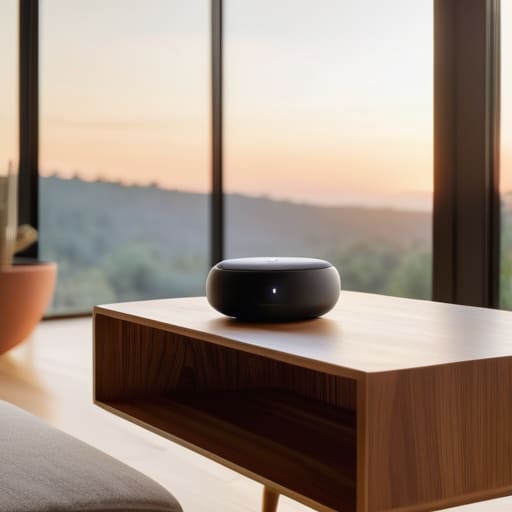
At the end of the day, choosing home tech shouldn’t feel like a second job. We’ve covered the essentials—starting with tools that solve actual problems rather than just looking cool, and the non-negotiable importance of making sure your devices actually talk to each other through a unified ecosystem. If you focus on compatibility and utility first, you avoid the dreaded “gadget graveyard” where expensive tech goes to collect dust because it’s too complicated to use. Remember, the goal isn’t to have the smartest house on the block; it’s to have a home that works for you without requiring a manual every time you want to dim the lights or check the front door.
Don’t feel like you need to overhaul your entire living space in a single weekend. I learned the hard way that trying to automate everything at once is a recipe for massive frustration and a drained bank account. Start small, test the friction points in your daily routine, and add one piece of tech at a time. Tech should be a silent partner in your life, not a source of constant troubleshooting. If a device doesn’t make your day a little bit smoother, it probably doesn’t belong in your home. Build your system slowly, build it smart, and focus on the small wins that actually give you your time back.
Frequently Asked Questions
How much should I actually budget for a basic smart home setup without overdoing it?
Look, if you’re trying to avoid the “gadget creep” that turns a living room into a tech graveyard, start small. For a basic, functional setup—think a few smart bulbs, a couple of plugs, and maybe a single smart speaker—I’d budget between $200 and $300. That gets you quality pieces that actually work. Don’t try to automate the whole house in one weekend; build it layer by layer as you identify real friction points.
Is it worth investing in expensive, high-end brands, or can I get the same results with cheaper alternatives?
Look, I’m a big believer in the “good enough” principle. You don’t need a $500 smart plug when a $15 one does the exact same job. For things like lighting or smart plugs, budget brands are fine. However, don’t skimp on the “brain” of your setup—like your router or your primary hub. If the core infrastructure is cheap and flaky, you’ll spend more time troubleshooting than actually enjoying your home. Buy quality where it matters; save where it doesn’t.
How do I make sure all these new devices don't just end up creating more digital clutter and privacy headaches?
The trick is to stop thinking about “more” and start thinking about “integration.” Before you buy anything, ask yourself: Does this device actually solve a friction point, or is it just another notification waiting to happen? Stick to a single ecosystem to keep your dashboard clean, and if a gadget requires a proprietary app just to turn on a lightbulb, skip it. If it doesn’t play nice with your existing setup, it’s just digital noise.
If I start with one ecosystem, like Apple or Google, how hard is it to add different brands later on?
It’s not as hard as it used to be, but you still need to be intentional. Most modern brands play nice through standards like Matter or Thread, which act like a universal translator for your devices. However, if you buy a niche gadget that only works in its own proprietary app, you’re creating a “silo.” My rule of thumb? Check for ecosystem compatibility before you hit buy. Avoid the headache of managing ten different apps.


