I remember sitting at my desk three years ago, staring at a spreadsheet that felt like it was literally burning my retinas. It was 9:00 PM, my head was throbbing, and I was halfway through a systems audit that felt like it would never end. I had already tried those overpriced blue-light glasses that promised a miracle, but they did nothing but make everything look slightly yellow and depressing. I realized then that most of the “solutions” out there are just expensive distractions. If you’re searching for how to reduce eye strain from screens, you don’t need a $200 gadget or a complete lifestyle overhaul; you just need to stop fighting your hardware and start optimizing your environment.
I’m not here to sell you on some wellness fad or a complicated setup that takes hours to configure. Instead, I’m going to give you the actual adjustments I use to keep my eyes from feeling like sandpaper by the end of a workday. We’re going to look at small, high-impact tweaks to your lighting, your monitor settings, and your physical habits that actually work. My goal is to help you reclaim your focus and eliminate that mid-afternoon headache without adding more friction to your life.
Table of Contents
Spotting Computer Vision Syndrome Symptoms Early
The thing about eye strain is that it’s a slow creep. It rarely hits you like a lightning bolt; instead, it’s a subtle, nagging discomfort that you eventually just learn to live with. You might notice your eyes feeling gritty, like there’s a tiny piece of sand stuck under your lid, or perhaps you’re finding yourself squinting at a spreadsheet more than usual. These are the classic computer vision syndrome symptoms that most of us ignore until we’re halfway through a massive headache.
I used to brush off that heavy, “sandpaper” feeling in my eyes, thinking I was just tired. In reality, I was preventing dry eyes from computer use by forgetting to blink. When we stare at a monitor, our blink rate drops significantly, which is a recipe for irritation. If you find yourself rubbing your eyes every twenty minutes or noticing that your vision gets slightly blurry toward the end of the workday, your body is sending you a flare signal. Don’t wait for the full-blown migraine to kick in; pay attention to those early warning signs so you can adjust your setup before the damage—or at least the discomfort—becomes your new normal.
The 20 20 20 Rule for Eye Health Made Simple
If you’ve ever spent eight hours straight staring at a spreadsheet only to realize you haven’t blinked in what feels like an eternity, you know the feeling. Your eyes feel heavy, gritty, and just plain tired. This is where the 20-20-20 rule for eye health becomes your best friend. It’s a dead-simple system designed to break that hypnotic, unblinking stare we all fall into when we’re deep in a flow state.
The logic is straightforward: every 20 minutes, look at something at least 20 feet away for at least 20 seconds. I started doing this a few months ago, and it’s been a total game-changer for preventing dry eyes from computer use. It sounds almost too easy to work, but it’s essentially just a manual reset for your eye muscles. Instead of letting them lock into a fixed focal distance all day, you’re giving them a much-needed moment to relax.
To make this actually stick, don’t rely on your willpower—it’ll fail you when a deadline hits. I use a simple, low-profile timer on my desktop to trigger these breaks. Think of it as a micro-maintenance routine for your vision. You aren’t trying to overhaul your entire life; you’re just building a small, automated buffer against the fatigue that usually hits by 3:00 PM.
Small System Tweaks for a Better Workspace
- Fix your lighting situation. If you’re working in a pitch-black room with a glowing monitor, you’re asking for a headache. Aim for soft, ambient light that matches your screen’s brightness so your pupils aren’t constantly fighting to adjust.
- Switch everything to dark mode. As someone who refuses to use any app that doesn’t have a dark option, I can tell you it’s a game changer. It reduces the sheer amount of white light hitting your retinas, which makes those long afternoon stretches a lot more manageable.
- Optimize your screen positioning. Your monitor shouldn’t be staring you down like an interrogator. Position it so the center of the screen is about 15 to 20 degrees below eye level. This allows your eyelids to cover more of your eye, reducing tear evaporation and dryness.
- Dial in your text size. Stop squinting. If you find yourself leaning forward to read a line of code or an email, your font size is too small. Increase the scaling in your OS settings; your neck and your eyes will thank you.
- Keep some eye drops nearby. Sometimes, even with the best systems, the environment wins. Keeping a bottle of preservative-free artificial tears at your desk can help reset things when you feel that familiar gritty, dry sensation creeping in.
The Cost of Friction
“We treat eye strain like an inevitable tax on our digital lives, but it doesn’t have to be. You aren’t broken; your setup is just inefficient. Stop trying to power through the headache and start fixing the environment that’s causing it.”
Nathaniel 'Nate' Brooks
Making It Stick
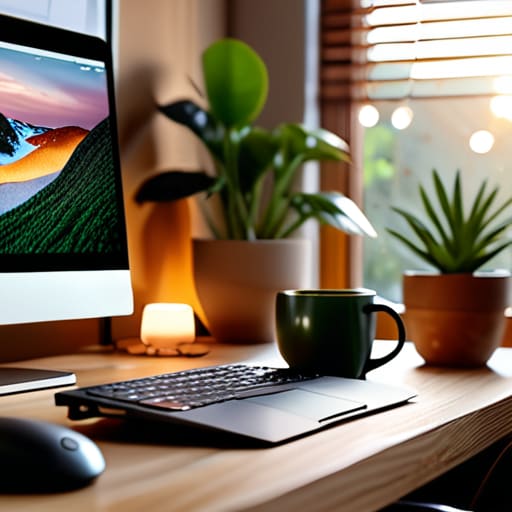
At the end of the day, reducing eye strain isn’t about finding some magic piece of hardware or a revolutionary new software update. It’s about the small, intentional shifts in how you interact with your workspace. We’ve talked about recognizing the early warning signs of Computer Vision Syndrome, implementing the 20-20-20 rule to give your ocular muscles a break, and optimizing your environment to work with your eyes rather than against them. If you can commit to just two or three of these adjustments—like finally enabling that dark mode you’ve been eyeing or setting a recurring timer for breaks—you’ll notice a massive difference in how you feel by 5:00 PM. It’s about eliminating the friction between your work and your physical well-being.
I know how easy it is to fall into the trap of “just one more email” or “just five more minutes of research,” only to realize later that you’ve spent the last hour squinting at a glowing rectangle. But remember, your focus is your most valuable asset, and you can’t use it effectively if you’re constantly fighting a headache. Don’t aim for a perfect, sterile setup overnight; just aim to be slightly more mindful of your habits today than you were yesterday. Build better systems for your eyes, and you’ll find you have much more energy left for the things that actually matter once the laptop finally closes.
Frequently Asked Questions
Does using a blue light filter actually work, or is it just marketing hype?
Look, I’ll give it to you straight: it’s a bit of both. The idea that blue light is “damaging” your retinas is largely marketing hype, but the way it messes with your sleep cycle is real. If you’re staring at a screen at 11 PM, a blue light filter helps signal to your brain that it’s actually nighttime. Use it for sleep hygiene, but don’t expect it to be a magic cure for eye fatigue.
Should I be wearing blue light glasses all day, or is that overkill?
Honestly? For most of us, wearing them all day is overkill. I used to think they were a silver bullet, but they aren’t. If you’re working in a well-lit room, your eyes aren’t struggling against blue light; they’re struggling against glare and poor posture. Save the glasses for late-night sessions when you’re winding down, or use software like f.lux to warm up your display. Focus on lighting and breaks first—they actually move the needle.
How much does my desk setup and monitor height actually impact my eye fatigue?
It impacts your eyes more than you realize. If your monitor is too high, you’re constantly tilting your head back, which strains your neck and forces your eyes into an unnatural position. If it’s too low, you’re hunching. I learned the hard way that your eyes should ideally be level with the top third of the screen. When you look slightly downward, your eyelids cover more of your eyeball, which actually helps keep them moist and reduces that dry, gritty feeling by the end of the day.
Is dark mode really better for my eyes, or does it just make the text harder to read?
Here’s the truth: dark mode isn’t a magic fix, and for some, it actually makes things worse. If you have astigmatism, white text on a black background can cause “halation,” where the letters seem to bleed or blur. If you find yourself squinting more, stick to a light mode with a soft, warm tint. Personally, I use dark mode for everything—provided it’s a true dark mode—but if it’s causing friction, ditch it.


