I spent most of my twenties thinking that if I just bought the right expensive software or the latest subscription-based planner, my life would suddenly snap into focus. I was wrong. Most of those high-priced tools are just bloated, shiny distractions that add more friction than they actually remove. The truth is, you don’t need a massive monthly budget to optimize your workflow; you just need the right tools. I’ve spent years testing, breaking, and refining my digital setup to find the best free apps that actually do the heavy lifting without draining your bank account.
In this guide, I’m stripping away the fluff and giving you my personal shortlist of eight essentials. These aren’t just random downloads; they are the specific tools I use to eliminate daily chaos and keep my systems running lean. From managing your mental bandwidth to streamlining your finances, these picks will help you build a high-functioning digital ecosystem for zero dollars. If you’re ready to stop paying for features you never use and start reclaiming your time, let’s dive in.
Table of Contents
- Clear the Mental Clutter with Notion
- Master Your Schedule with Google Calendar
- Focus Deep with Forest
- Organize Your Brain with Obsidian
- Streamline Your Finances with Mint
- Capture Ideas Instantly with Google Keep
- Eliminate Email Overload with Spark
- Refine Your Writing with Grammarly
- The Real Value of a Digital Toolkit
- Stop Collecting, Start Implementing
- Frequently Asked Questions
Clear the Mental Clutter with Notion
I used to have a dozen different notebooks and half-finished digital notes scattered across my desktop, and it was driving me insane. Notion changed that by acting as a centralized command center for everything from my grocery lists to complex project workflows. It’s essentially a digital sandbox where you can build exactly the system you need without being forced into a rigid structure.
Master Your Schedule with Google Calendar
If you aren’t time-blocking, you aren’t actually managing your time; you’re just reacting to it. I rely on Google Calendar to create a visual map of my day, ensuring that I actually carve out space for deep work and, more importantly, for rest and recovery. It’s the simplest tool in my kit, but it’s also the most effective at preventing that feeling of being constantly behind.
Focus Deep with Forest
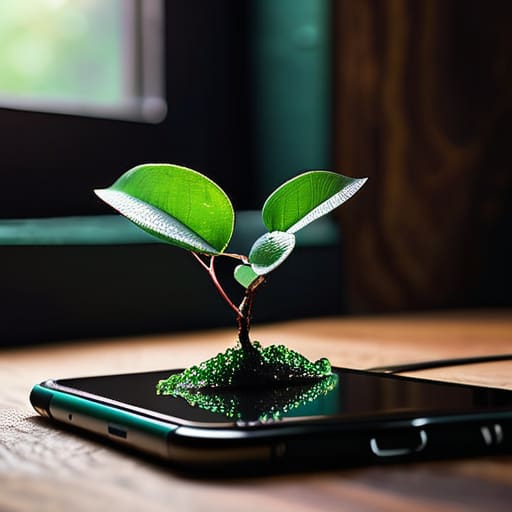
We live in an era of constant digital distraction, and honestly, my phone is often my biggest enemy when I’m trying to get things done. Forest is a clever little app that gamifies the act of staying off your device. When you want to focus, you plant a virtual tree; if you leave the app to check social media, your tree withers and dies. It sounds a bit silly, but the psychological nudge is incredibly effective.
Organize Your Brain with Obsidian

For the people who need to connect complex ideas—the kind of stuff I deal with in systems analysis—Obsidian is a total game-changer. Unlike traditional note-taking apps that use a folder hierarchy, Obsidian uses a “graph” system that allows you to link notes together like a second brain. It’s built on local Markdown files, which means you actually own your data and aren’t beholden to a specific company’s cloud.
Streamline Your Finances with Mint
I’ve always believed that you can’t optimize what you don’t measure, and that applies heavily to your bank account. Mint takes the friction out of budgeting by automatically pulling in your transactions and categorizing them for you. Instead of spending my Sunday nights wrestling with a manual spreadsheet, I can just spend five minutes glancing at my spending trends.
Capture Ideas Instantly with Google Keep
Sometimes you don’t need a full-blown database; you just need a place to dump a thought before it evaporates. Google Keep is my go-to for those “micro-tasks” and fleeting inspirations. It’s lightweight, incredibly fast, and it works perfectly on both my desktop and my phone, which is essential when I’m out and about.
Eliminate Email Overload with Spark
My inbox used to be a source of constant anxiety, a never-ending stream of noise that dictated my priorities. Spark changed the way I interact with my mail by introducing a “Smart Inbox” that separates actual human conversations from the endless mountain of newsletters and notifications. It allows me to triage my communications without feeling overwhelmed.
Refine Your Writing with Grammarly
Even if you aren’t a professional writer, the way you communicate digitally says a lot about your attention to detail. I use the free version of Grammarly as a final safety net to catch those embarrassing typos or awkward phrasing errors that slip through when I’m rushing. It’s like having a quiet editor sitting on your shoulder.
The Real Value of a Digital Toolkit
“The goal isn’t to collect a massive library of software that just sits there collecting digital dust; it’s about finding those few, high-leverage tools that actually clear the mental clutter so you can get back to living.”
Nathaniel 'Nate' Brooks
Stop Collecting, Start Implementing
At the end of the day, these tools are just digital instruments; they only work if you actually pick them up and play. Whether you’re using a task manager to clear your mental clutter or a budget tracker to stop the mystery leaks in your bank account, the goal is the same: reducing friction. You don’t need a massive, expensive ecosystem of interconnected software to stay on top of your life. You just need a few reliable, lightweight apps that do exactly what they promise without getting in your way. Pick one or two from this list that solve your most immediate headache and ignore the rest until you’ve actually mastered them.
My biggest piece of advice is to resist the urge to go on a massive “productivity spree” where you spend more time configuring settings than actually working. Technology should serve your life, not become another chore on your to-do list. We aren’t aiming for some impossible, hyper-optimized version of ourselves; we are just trying to reclaim our time and mental energy. Use these apps to automate the boring stuff so you can get back to the things that actually matter—like a perfect brisket or a quiet evening without a buzzing phone. Keep it simple, keep it functional, and just start.
Frequently Asked Questions
Won't using too many different apps actually end up creating more friction than they solve?
You’re absolutely right. If you download every “life-changing” tool that hits your feed, you aren’t optimizing; you’re just managing clutter. That’s exactly the kind of friction I try to avoid. My rule is simple: an app only earns its spot on my home screen if it solves a recurring pain point. If it takes more time to maintain the tool than the value it provides, delete it. Stick to a lean stack.
How do I make sure these free versions aren't just going to hit me with a paywall the second I actually start using them?
Look, I’ve been burned by “freemium” traps more times than I care to admit. My rule of thumb? Check the “Pricing” page before you even hit download. I look specifically for what’s gated. If the free tier limits the number of projects or blocks your core workflow, it’s not a tool; it’s a demo. Stick to apps where the free version offers a complete, albeit smaller, ecosystem. If it feels like a teaser, skip it.
Are there any major privacy or data security risks I should be worried about with these specific tools?
Look, I’m a systems guy, so I can’t just ignore the data trail these tools leave behind. Most of these apps are solid, but the trade-off is usually your data. If an app is free, you’re often the product. I generally stick to tools that use end-to-end encryption or have clear, non-sketchy privacy policies. My rule of thumb? Don’t feed them anything you wouldn’t want a stranger reading. Keep your sensitive stuff offline.
Can I actually sync all of these across my phone and laptop without everything breaking?
Short answer: Yes, but don’t expect it to be magic. Most of these tools use cloud-based syncing, so as long as you’re logged into the same account on your phone and laptop, your data should follow you seamlessly. My rule of thumb? Check the “Sync” settings immediately after setup. If something feels laggy or isn’t updating, it’s usually just a background refresh issue. Keep your apps updated, and you’ll be fine.


