
I remember sitting at my kitchen table three years ago, staring at a lukewarm cup of coffee and a dual-monitor setup that felt more like a cage than a workspace. I had every “life-changing” productivity app downloaded, my desk was cluttered with expensive gadgets I didn’t need, and yet, I was still ending my days feeling completely drained and unproductive. The internet loves to sell you this fantasy that mastering productivity working from home requires a $500 ergonomic chair and a complex, color-coded digital ecosystem. Honestly? Most of that is just expensive noise designed to make you feel like you’re failing if you aren’t living in a perfectly curated minimalist showroom.
I’m not here to sell you on a lifestyle overhaul or a subscription to some high-priced task manager. Instead, I want to share the small, friction-reducing tweaks that actually moved the needle for me once I stopped chasing perfection. We’re going to look at practical, systems-based adjustments—things like managing your digital environment and setting realistic boundaries—to help you reclaim your time. My goal isn’t to turn you into a machine; it’s to help you build a sustainable routine so you can actually finish your work and enjoy your life.
Table of Contents
Mastering Remote Work Time Management
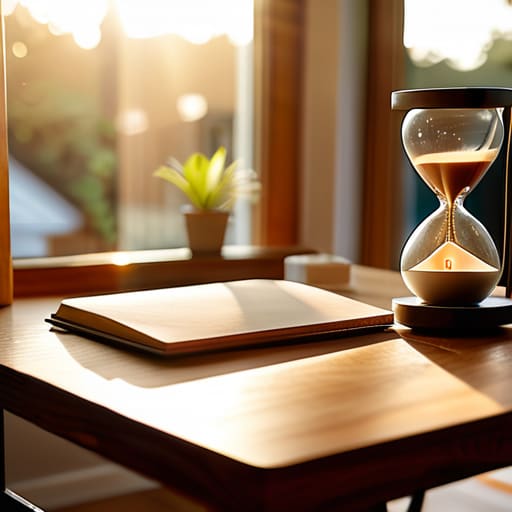
The biggest trap I fell into when I first started working from my living room was the illusion of constant availability. I thought being “productive” meant being glued to my Slack notifications from 8:00 AM until the sun went down. That’s a fast track to burnout. To actually get things done, I had to get serious about remote work time management by implementing strict boundaries. I started using time-blocking—not to turn my life into a rigid cage, but to give myself permission to focus on one specific task without the guilt of what I wasn’t doing.
It’s also about controlling your environment. You can’t expect to hit a flow state if your laundry is staring you down or your phone is buzzing with social media pings. I found that minimizing home distractions required a two-pronged approach: a physical “do not disturb” signal (usually a closed door or specific headphones) and a digital one. I started scheduling specific windows for deep work, where my notifications were completely silenced. It’s not about working more hours; it’s about making sure the hours you are working actually count.
A Realistic Daily Routine for Remote Workers

Look, I’m not going to sell you on a rigid, minute-by-minute schedule that feels like a prison sentence. I tried that in my early twenties, and it ended in a massive burnout that left me staring at my monitor in a trance. Instead, I’ve found that a successful daily routine for remote workers relies on predictable anchors rather than strict rules. I start by creating a “commute” that doesn’t involve traffic—usually just a fifteen-minute walk or a cup of coffee away from my phone. This mental buffer signals to my brain that the workday has officially begun, helping me transition out of “home mode” before I even sit down.
Once I’m at my desk, I prioritize my most cognitively demanding tasks during my peak focus hours. I use specific deep work techniques for home, like the Pomodoro method or simply closing every single browser tab that isn’t essential to the task at hand. I also make it a point to audit my environment; if my chair is killing my back or my lighting is making me squint, I can’t focus. It’s about minimizing friction in your physical space so your mental energy can go toward the work, not the discomfort.
Small Systems to Stop the Daily Friction

- Build a “Digital Sunset.” Just like I wouldn’t leave my vintage synths powered on overnight, I don’t leave my work tabs open. At the end of the day, close every single application and browser window. It prevents that immediate, overwhelming feeling of “re-starting” the next morning.
- Stop the snack-run loop. I used to wander to the kitchen every time a task got difficult. Now, I keep a dedicated “work station” kit—a large water bottle and a healthy snack—right at my desk. If I have to get up to find fuel, I’ve already lost the momentum.
- Use “Context Switching” rules. My brain isn’t a processor that can run infinite background tasks. If you’re moving from a deep-focus spreadsheet to a quick Slack reply, give yourself a two-minute buffer. Don’t try to jump the gap instantly; it just creates mental lag.
- Audit your notifications like you audit a budget. If a notification isn’t essential to the task you are doing right now, it’s a leak in your productivity. Turn off everything except direct pings from humans. The rest can wait until your scheduled breaks.
- Optimize your lighting and environment. It sounds trivial, but fighting a dim room or a cluttered view is a massive drain on energy. I keep my workspace minimalist—just the essentials—and ensure I have decent light. If your environment is chaotic, your output will be too.
The Efficiency Trap
Remote work isn’t about squeezing every last drop of output out of your eight hours; it’s about building a system that protects your focus so you don’t end up staring at a screen at 9 PM, wondering where the day went.
Nathaniel 'Nate' Brooks
Finding Your Flow

Look, I’m not going to tell you that these systems will suddenly turn you into a productivity machine overnight. We’ve covered a lot—from tightening up your time management to building a routine that actually respects your human need for a break. The goal isn’t to turn your home into a high-pressure corporate office; it’s about building enough structure to stop the day from bleeding into your evening. If you can implement just one or two of these tweaks—maybe it’s a dedicated workspace or a stricter “log-off” time—you’re already winning. It’s about eliminating the friction that makes remote work feel like a constant uphill battle.
At the end of the day, the most important thing to remember is that your systems should serve you, not the other way around. If a routine feels too rigid or starts causing more stress than it solves, tweak it. I’ve spent years adjusting my own spreadsheets and schedules, and I’ve learned that the best setup is the one that actually works for your specific life. Don’t aim for a flawless, optimized existence; just aim for a little more control and a lot less chaos. You’ve got this.
Frequently Asked Questions
How do I stop my house from becoming a constant distraction when I'm trying to focus?
Look, I get it. It’s hard to stay in “systems analyst mode” when the laundry pile is staring you down or the dishes are calling your name. My advice? Stop trying to fight the house and start zoning it. Create a physical “work trigger”—even if it’s just a specific desk lamp or a certain pair of noise-canceling headphones. When that gear is on, you’re at the office. When it’s off, you’re home. Boundary setting is everything.
What should I do if I feel like I'm working all day but still haven't actually accomplished anything?
That feeling is usually a symptom of “busywork”—running on a treadmill of shallow tasks like clearing emails or tweaking spreadsheets without actually moving the needle. I used to do this constantly. To fix it, stop looking at your to-do list and start looking at your output. Pick one “high-leverage” task—the one that actually matters—and commit to it for ninety minutes before you touch your inbox. Stop managing your time and start managing your energy.
How can I set boundaries with my family or roommates so they know when I'm actually "at work"?
The biggest mistake I made early on was assuming people could read my mind. They can’t. You need a physical signal—something visual that says “do not disturb” without you having to say a word. I use a specific desk lamp; if it’s on, I’m in deep work mode. Sit them down, explain your schedule, and agree on a signal. It’s not about being rude; it’s about protecting your focus so you can actually finish on time.
I'm struggling with burnout; how do I know when to step away from the screen versus pushing through?
Look, I’ve been there. You hit a wall where you’re staring at the same line of code or email for twenty minutes without actually processing it. That’s your signal. If your brain feels like a browser with fifty tabs open and half of them are frozen, stop pushing. Pushing through burnout isn’t “grinding”; it’s just inefficient. Step away, grab some water, or walk around the block. You’ll solve in ten minutes what would’ve taken two hours of staring.